Can Businesses Use the Unitree R1 for Commercial Robotics Applications?
A robot probably isn’t on your shortlist for event entertainment planning or commercial interaction yet. It’s worth putting it there.
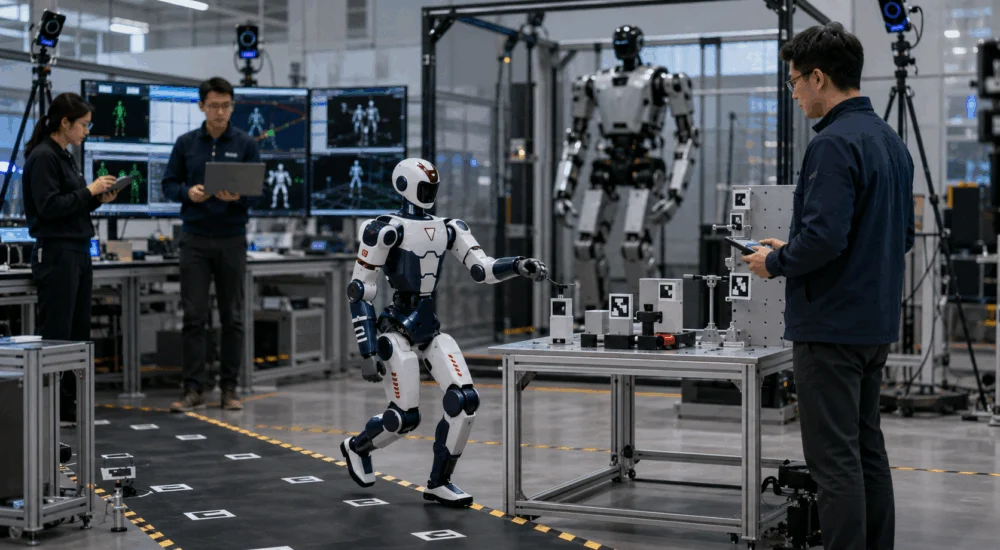
Businesses are already putting the Unitree R1 Robot to work in commercial spaces: as an entertainer that dances and interacts with a crowd, and as an interactive presence in retail spaces and brand activations. Both are common R1 commercial robotics applications, and both are simpler to set up than they sound. This guide walks through what those applications actually look like, what secondary development opens up once the preset motions aren’t enough, and what to plan for before committing to a project.
Discover how robots can better your life!
What the R1 Hardware Supports for Commercial Robotics
The R1 line comes in two tiers: R1 Basic and the R1 Edu series (Standard, Smart, and Pro). R1 Basic is the entry tier, starting at $8,990, and it runs on Unitree’s stock software, including a preset motion library. The Edu tier adds secondary development, meaning custom code written and run directly on the robot, along with Isaac Sim compatibility for testing behaviors in simulation before they touch hardware.
That’s what opens up the R1 commercial robotics applications below: a business isn’t limited to Unitree’s default motions if the project calls for something custom.
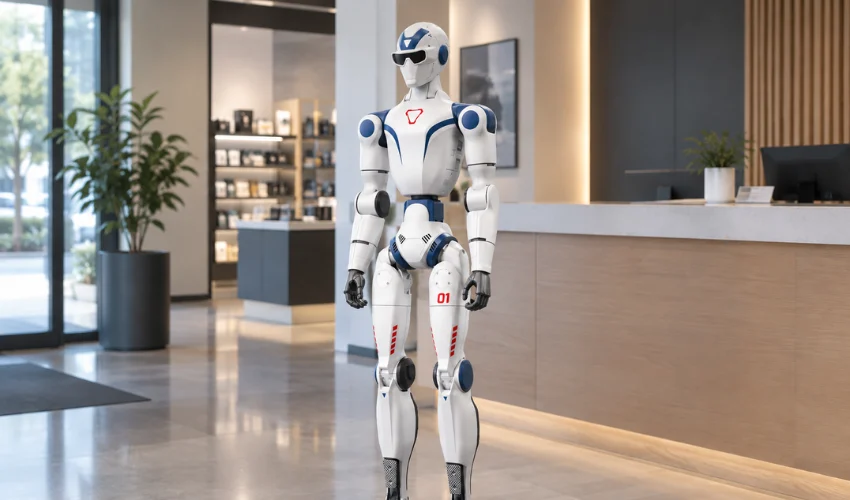
Physically, the R1 weighs roughly 27 to 29 kg and stands about 1.21 m tall, with a maximum arm load around 2 kg. That’s lighter and more compact than a full-size platform like the Unitree G1 or H2. The size points the R1 toward interaction and entertainment work, not heavy material handling or industrial payloads.
That size also makes the R1 easier to move and stage between venues, useful for a business running the same activation across several events.
Where the R1 Fits: Entertainment and Interactive Applications
The R1’s size, mobility, and range of motion make it an audience-facing robot more than an industrial one. Two use cases come up repeatedly.
Interactive experiences and activations. A business wants a robot that moves, gestures, and engages people at an event, in a retail space, or as part of a brand campaign. The alternative here is usually a costumed performer or a static kiosk. The R1 actually moves and reacts to what’s happening around it.
Entertainment and demonstration platforms. Teams use the R1’s mobility and secondary development support to build custom performances, guided interactions, or showcase behaviors beyond Unitree’s preset motion library. A trade show demo that needs to hit specific beats in sync with a script or a soundtrack is a common example.
Both cases treat the R1 as a development platform for an R1 commercial robotics build. The business builds its own application on top of it. If your team is still working out which tier fits a project budget, the R1 pricing guide breaks down every configuration.
What Secondary Development Actually Buys You
Secondary development on the R1 Edu tier means your team writes and runs its own control code directly on the robot, in Python, C++, or ROS2. Paired with Isaac Sim, a team can build, test, and refine a custom interaction or performance in simulation first, then move it to the physical robot once it behaves the way they want.
That’s the practical value: full ownership of what gets built, plus the tools to build, test, and iterate on it without waiting on a vendor to ship a feature request.
What to Plan Around Before You Build
A few limits are worth knowing before a team commits engineering time to an R1 commercial robotics project.
R1 Basic’s out-of-box behavior is fixed. It won’t run custom code, so a business evaluating the R1 for anything beyond Unitree’s default motions needs to budget for the Edu tier instead. Secondary development also assumes some in-house robotics or ROS2 experience. The R1 is a development platform. It isn’t plug-and-play. And at a 2 kg arm load, it fits interaction and light manipulation work. It isn’t built for tasks that lift or carry.
None of that rules out a commercial deployment. It changes where the planning conversation should start: tier and team resources first, robot second.
Frequently Asked Questions
Who owns the software a business builds on the R1? The business does. Unitree provides the hardware and development platform. Custom behaviors, interactions, and software built on top of it belong to the business that built them.
Does the R1 support commercial use out of the box? R1 Basic doesn’t include secondary development, so out-of-box functionality is limited to Unitree’s default software. Commercial applications that need custom behavior require the R1 Edu tier.
What kind of commercial applications is the R1 best suited for? Its size and mobility make it a strong fit for entertainment, interactive experiences, and demonstration or activation work, more than heavy industrial tasks, which fit a larger platform like the Unitree H2 better.
What’s the difference between prototyping on R1 and deploying it commercially? Prototyping tests whether an idea works on real hardware. Commercial deployment runs that solution in production, potentially at scale. The R1 Edu tier’s secondary development support is what makes that transition possible.
Do I need robotics engineering experience to build on the R1? For R1 Basic, no. It runs on Unitree’s preset software out of the box. For the Edu tier’s secondary development, yes. Writing and running custom code in Python, C++, or ROS2 assumes a team already has that background, or is prepared to hire for it.
Talk to Us About Your R1 Project
If you’re evaluating the R1 for an entertainment, interactive, or commercial development project, Toborlife AI can help match the right configuration to what you’re building and support your team through setup and secondary development from there.
Considering the Unitree R1 Robot for an R1 commercial robotics project? Talk to a Robotics Expert →