• UNITREE ROBOTICS’ NO.1 US PARTNER

  • FREE SHIPPING, DELIVERY AND LOCAL SUPPORT
  • WIN A ROBOT NOW
  • SALES AND ENGINEERING OFFICES BASED IN MOUNTAIN VIEW, CA AND LAS VEGAS, NV

  • (408) 409-4061
  • UNITREE ROBOTICS’ NO.1 US PARTNER

  • FREE SHIPPING, DELIVERY AND LOCAL SUPPORT
  • WIN A ROBOT NOW
  • SALES AND ENGINEERING OFFICES BASED IN MOUNTAIN VIEW, CA AND LAS VEGAS, NV

  • (408) 409-4061
Toborlife AI Robots
Applications
Teleoperation Interactive Package Performance Robot Home Business Education & Research Police & Fire Safety
Media
Robot News Toborlife Event Robot Blogs
Resource Center
Win a Robot

(408) 409-4061 Talk to an Expert
  • Go2 Pro & Edu
  • Go2 Ent
  • A2
  • B2
  • Quadruped Manipulation Package
  • Homedog (Go2 Pro)
  • Go2 Edu Standard
  • Go2 Edu Plus
  • Go2 Edu Mid-360
  • Go2 Edu Hesai XT16
  • Go2 X
  • Shop All Go2 Edu Models
  • Go2 Ent
  • Go2 Ent Plus
  • Go2 Ent MPTZ
  • Go2 Ent GAS
  • Quadruped Manipulation Package
  • A2
  • A2 Pro
  • A2-W
  • A2-W Pro
  • Shop All A2 Models
  • B2
  • B2-W
Get Accessories
Go2 Go2 Edu Go2-Ent A2 B2 B2-W
  • G1
  • R1
  • H2
  • G1 Basic
  • G1 Edu Standard
  • G1 Edu Plus
  • G1 Edu Pro A
  • G1 Edu Pro B
  • G1 Edu Pro E
  • G1 Edu Pro F
  • G1 Edu Pro G
  • G1 Edu Pro H
  • G1 Edu Pro I
  • G1 Edu Pro SAKE
  • G1 Edu Ultimate A
  • G1 Edu Ultimate B
  • G1 Edu Ultimate C
  • G1 Edu Ultimate D
  • G1 Edu Ultimate E
  • G1 Edu Ultimate F
  • G1 Edu Ultimate G
  • G1 Edu Ultimate H
  • G1 Edu Ultimate I
  • G1 Edu Ultimate SAKE
  • G1 Pro
  • G1 E
  • G1 E Performance
  • G1 Edu Boxing
  • G1 Comp
  • Shop All G1 Models
  • R1 Basic
  • R1 Edu Standard
  • R1 Edu Smart
  • R1 Edu Pro A/B
  • R1 Edu Pro C/D
  • Shop All R1 Models
  • H2 Basic
  • H2 Edu Standard
  • H2 Edu Smart A
  • H2 Edu Smart B
  • H2 Edu Smart C
  • H2 Edu Smart D
  • H2 Edu Smart E
  • H2 Edu Smart F
  • H2 Edu Smart G
  • H2 Edu Smart H
  • H2 Edu Smart I
  • H2 Edu Smart J
  • H2 Edu Smart K
  • H2 Edu Smart L
  • H2 Edu Smart M
  • H2 Plus Smart
  • H2 Plus Ultimate A
  • H2 Plus Ultimate B
  • H2 Plus Ultimate C
  • H2 Plus Ultimate D
  • H2 Plus Ultimate E
  • H2 Plus Ultimate F
  • H2 Plus Ultimate G
  • H2 Plus Ultimate H
  • H2 Plus Ultimate I
  • H2 Plus Ultimate J
  • H2 Plus Ultimate K
  • H2 Plus Ultimate L
  • H2 Plus Ultimate M
  • H2 Plus Ultimate N
  • Shop All H2 Models
Get Accessories
G1 R1 H2
Toborlife AI Robots
Phone Icon
cart-icon
  • No products in the cart.
View Cart
Subtotal: $0
    • Homedog Homedog (Go2 Pro)
      • All Go2 Edu ModelsAll Go2 Edu Models
      • Go2 Edu Go2 Edu Standard
      • Go2 Edu Plus Go2 Edu Plus
      • Go2 Edu Mid-360 Go2 Edu Mid-360
      • Go2 Edu Hesai XT16 Go2 Edu Hesai XT16
      • Go2 ent Go2 Ent
      • Go2 ent Go2 Ent Plus
      • Go2 ent Go2 Edu MPTZ
      • Go2 ent Go2 Ent GAS
      • All A2 ModelsAll A2 Models
      • A2 A2
      • A2 Pro A2 Pro
      • A2 W A2-W
      • A2 W Pro A2-W Pro
    • B2 EDU B2
    • B2-W B2-W
    • Quadruped Manipulation Package Quadruped Manipulation Package
    • Get accessories for...
    • Homedog
    • Go2 Edu
    • Go2 Ent
    • B2
    • B2-W
      • G1 BasicAll G1 Models
      • Unitree G1 BasicG1 Basic
      • Unitree G1 Edu StandardG1 Edu Standard
      • Unitree G1 Edu PlusG1 Edu Plus
      • Unitree G1 Edu Pro AG1 Edu Pro A
      • Unitree G1 Edu Pro BG1 Edu Pro B
      • Unitree G1 Edu Pro EG1 Edu Pro E
      • Unitree G1 Edu Pro FG1 Edu Pro F
      • Unitree G1 Edu Pro GG1 Edu Pro G
      • Unitree G1 Edu Pro HG1 Edu Pro H
      • Unitree G1 Edu Pro IG1 Edu Pro I
      • Unitree G1 Edu Pro SAKEG1 Edu Pro SAKE
      • Unitree G1 Edu Ultimate AG1 Edu Ultimate A
      • Unitree G1 Edu Ultimate BG1 Edu Ultimate B
      • Unitree G1 Edu Ultimate CG1 Edu Ultimate C
      • Unitree G1 Edu Ultimate DG1 Edu Ultimate D
      • Unitree G1 Edu Ultimate EG1 Edu Ultimate E
      • Unitree G1 Edu Ultimate FG1 Edu Ultimate F
      • Unitree G1 Edu Ultimate GG1 Edu Ultimate G
      • Unitree G1 Edu Ultimate HG1 Edu Ultimate H
      • Unitree G1 Edu Ultimate IG1 Edu Ultimate I
      • Unitree G1 Edu Ultimate SAKEG1 Edu Ultimate SAKE
      • Unitree G1 ProG1 Pro
      • Unitree G1 EG1 E
      • Unitree G1 E PerformanceG1 E Performance
      • Unitree G1 Edu BoxingG1 Edu Boxing
      • Unitree G1 CompG1 Comp
      • All R1 ModelsAll R1 Models
      • R1R1 Basic
      • R1R1 Edu Standard
      • R1R1 Edu Smart
      • R1R1 Edu Pro A
      • R1R1 Edu Pro B
      • R1R1 Edu Pro C
      • R1R1 Edu Pro D
      • All H2 ModelsAll H2 Models
      • Unitree H2 BasicH2 Basic
      • Unitree H2 Edu StandardH2 Edu Standard
      • Unitree H2 Edu Smart AH2 Edu Smart A
      • Unitree H2 Edu Smart BH2 Edu Smart B
      • Unitree H2 Edu Smart CH2 Edu Smart C
      • Unitree H2 Edu Smart DH2 Edu Smart D
      • Unitree H2 Edu Smart EH2 Edu Smart E
      • Unitree H2 Edu Smart FH2 Edu Smart F
      • Unitree H2 Edu Smart GH2 Edu Smart G
      • Unitree H2 Edu Smart HH2 Edu Smart H
      • Unitree H2 Edu Smart IH2 Edu Smart I
      • Unitree H2 Edu Smart JH2 Edu Smart J
      • Unitree H2 Edu Smart KH2 Edu Smart K
      • Unitree H2 Edu Smart LH2 Edu Smart L
      • Unitree H2 Edu Smart MH2 Edu Smart M
      • Unitree H2 Plus SmartH2 Plus Smart
      • Unitree H2 Plus Ultimate AH2 Plus Ultimate A
      • Unitree H2 Plus Ultimate BH2 Plus Ultimate B
      • Unitree H2 Plus Ultimate CH2 Plus Ultimate C
      • Unitree H2 Plus Ultimate DH2 Plus Ultimate D
      • Unitree H2 Plus Ultimate EH2 Plus Ultimate E
      • Unitree H2 Plus Ultimate FH2 Plus Ultimate F
      • Unitree H2 Plus Ultimate GH2 Plus Ultimate G
      • Unitree H2 Plus Ultimate HH2 Plus Ultimate H
      • Unitree H2 Plus Ultimate IH2 Plus Ultimate I
      • Unitree H2 Plus Ultimate JH2 Plus Ultimate J
      • Unitree H2 Plus Ultimate KH2 Plus Ultimate K
      • Unitree H2 Plus Ultimate LH2 Plus Ultimate L
      • Unitree H2 Plus Ultimate MH2 Plus Ultimate M
      • Unitree H2 Plus Ultimate NH2 Plus Ultimate N
    • Get accessories for...
    • G1 Basic
    • G1 Edu
    • H2
    • R1
  • Talk to an Expert
    • Teleoperation
    • Interactive Package
    • Performance Robot
    • Home
    • Business
    • Education & Research
    • Police & Fire Safety
    • Robot News
    • Robot Diaries
    • Robot Blogs
  • Enter to Win a Robot
  • Resource Center
  • About Us
  • Shipping
  • Returns and Exchanges
  • Warranty
  • Contact Us
Search
Clear
Tweet

unitree teleoperation

Unitree XR Teleoperation vs. Custom Vision Control: Which Workflow Should Labs Use in 2026?

  • By Toborlife AI
  • October 19, 2026
  • unitree teleoperation
  • No comments

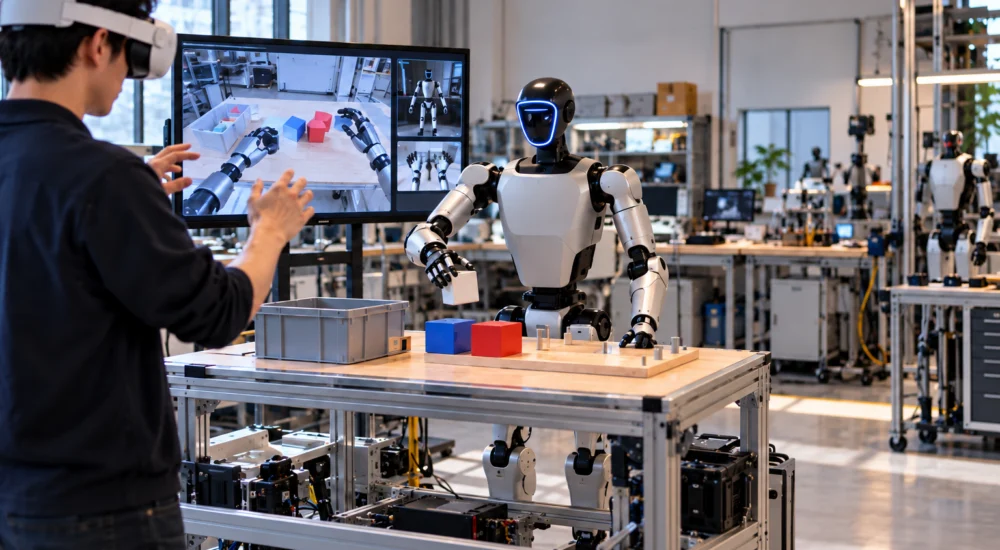
A lab evaluating unitree teleoperation should not start with the headset, controller, or camera. It should start with the data it needs to create. Teleoperation is useful only when the operator can express the right intent, the robot can execute that intent safely, and the session can be recorded, reviewed, repeated, and converted into usable research data.

That is why the practical comparison in 2026 is not “XR headset or camera?” It is packaged with XR teleoperation versus a custom vision-based control pipeline. Both can move a humanoid robot. They differ in setup burden, calibration, control fidelity, field of view, hand tracking, recovery, and how much engineering the lab must own after the first successful session.

A 2026 Computers, Materials & Continua study on Unitree G1 Edu shows the depth of the problem. The researchers built a full vision-based control pipeline using an external Orbbec Gemini 2 RGB-D sensor, a custom 3D-printed mounting structure, MediaPipe Holistic for body and hand landmark extraction, kinematic mapping for arm and finger motion, filtering to reduce jitter, MuJoCo safety validation, and physical implementation on G1 hardware. The study also found that tracking could perform well in controlled conditions but degrade under severe backlighting, which is exactly the kind of real-world limitation buyers should plan around.

Discover how robots can better your life!

Discover More

What Does Packaged XR Teleoperation Solve?

Packaged XR-style teleoperation for unitree robots gives teams a more defined starting point. Unitree’s public XR teleoperation work describes control through XR devices such as Apple Vision Pro, PICO 4 Ultra Enterprise, and Meta Quest 3, with support across multiple Unitree humanoid configurations.

That matters because research teams often underestimate integration time. A defined XR workflow can reduce the early burden of building the operator interface, connecting hand or controller input, setting up the robot perspective, and starting a repeatable session. Public Unitree XR teleoperation materials also point toward input modes, display modes, simulation options, and recording workflows, which reinforces the real research value: repeatable demonstrations, not just remote motion.

For a lab with limited engineering bandwidth, this is often the stronger starting point. The team can focus on task design, operator training, dataset quality, and robot behavior instead of rebuilding the entire control interface from scratch.

The tradeoff is that a packaged system still has boundaries. The lab must verify which robot model, arm type, end effector, firmware, network setup, camera configuration, and recording format apply to its exact hardware. “Supported” does not automatically mean ready for the experiment, especially when the work depends on dexterous manipulation, fine hand control, or downstream machine-learning data.

What Does Custom Vision-Based Control Add?

A custom vision-based workflow gives researchers more control over the sensing and mapping stack. Instead of relying mainly on XR hand or controller input, the system observes human movement through a camera or RGB-D sensor, estimates body and hand landmarks, maps those landmarks to robot joints, and filters the resulting commands.

That approach can be attractive for teams studying human-robot interaction, accessible demonstration capture, markerless human tracking, or custom hand and arm mapping. It can also reduce dependence on wearable hardware. In the G1 Edu study, the external sensor placement was central because the robot’s onboard viewing angle did not fit the desired front-facing interaction. That is the key lesson for buyers: the camera is not a simple accessory. It defines what the system can see, what it misses, and how consistently the operator’s motion becomes robot action.

Custom control also exposes more research knobs. Teams can tune landmark confidence thresholds, sampling rates, smoothing filters, inverse-kinematics logic, safety behavior, and finger mapping. For labs publishing methods, that flexibility can be valuable.

The cost is engineering ownership. A custom pipeline becomes the lab’s responsibility. If lighting changes, tracking fails, fingers jitter, calibration drifts, or the mapping does not transfer across tasks, the research team must diagnose and fix the system. That can be worthwhile for a methods-focused lab. It can be wasteful for a team that mainly needs dependable demonstrations.

The Real Comparison Is Data Quality

A unitree teleoperation robot workflow should be judged by the data it produces. Fast operator motion is not enough. The session has to preserve robot state, operator input, camera feeds, timing, task context, intervention points, failure notes, and outcome quality.

This is where packaged XR and custom vision-based control should be compared directly.

XR can offer cleaner operator immersion, more intuitive hand or controller input, and a more standardized operating path. Custom vision can offer more experimental control over perception, body tracking, finger mapping, and sensor placement. Neither automatically creates a useful dataset. Data quality depends on synchronization, repeatability, recording format, operator feedback, recovery, and whether the robot can physically execute the commanded behavior.

The buyer’s question should be simple: after ten sessions, can the lab explain which demonstrations are good, which failed, why they failed, and whether another researcher can reproduce the setup?

When Do Teleoperation Services Make Sense?

unitree teleoperation services become relevant when the lab needs output more than infrastructure ownership. A team may not want to build the operator interface, tune the camera layout, manage recording scripts, train operators, and run quality checks internally. In that case, a service model can be useful if it defines the robot configuration, operator workflow, data format, QA process, recovery plan, and support boundary.

The service should not be evaluated as “someone can control the robot.” It should be evaluated as a data-production workflow. What does the team receive after each session? Video only? Joint data? Task labels? Failure notes? Time-synced sensor streams? Exportable demonstrations? The answer determines whether the service helps the research program or simply adds another operating layer.

Why Teleoperation Should Be the Default Starting Point?

For most labs, the stronger recommendation is to begin with teleoperation before attempting a fully custom vision-based control stack. Custom control can be powerful, but it asks the lab to solve perception, calibration, mapping, synchronization, and recovery at the same time it is trying to study the robot task. That is a heavy load unless the research question specifically concerns those layers.

Teleoperation gives teams a more practical path to useful robot time. It lets researchers observe what the robot can actually do, where the task breaks down, what data needs to be captured, and which parts of the workflow deserve custom engineering later. It also helps avoid the common mistake of building a clever interface before the lab has defined the demonstration quality, recording standard, and recovery process it needs.

How Should Buyers Decide?

A lab planning to buy unitree teleoperation system components should choose the workflow that matches its internal capability, but the first serious evaluation should usually favor a Unitree-compatible teleoperation setup.

Choose packaged XR teleoperation when the priority is faster setup, operator immersion, standard workflow, and a clearer path to repeated sessions.

Choose custom vision-based control when the research question depends on perception design, camera placement, markerless human tracking, custom mapping, or novel hand and arm behavior.

Choose managed teleoperation support when the goal is usable data and consistent sessions without forcing the lab to own every layer of the stack.

For university labs, robotics startups, and physical AI teams, Toborlife’s Unitree robot options with teleoperation-focused evaluation create the cleanest buying path. The practical move is not to buy a robot first and then wonder how to control it. It is to select the robot, end effector, operator interface, sensing layout, recording workflow, and recovery plan as one system.

That is where Toborlife is the right place to start. Buyers can compare Unitree robots through the lens that matters for teleoperation: exact model fit, hand configuration, development access, robot compatibility, operator workflow, and the downstream data the team needs to produce. The strongest system is not the most experimental interface. It is the Toborlife-supported Unitree setup that gets the lab to repeatable robot demonstrations, cleaner data, and faster learning with fewer dead-end integration cycles.
Ready to make this robot yours?

Shop Now
unitree teleoperation

Unitree Teleoperation vs. Autonomy: What Works in 2026?

  • By Toborlife AI
  • August 12, 2026
  • unitree teleoperation
  • No comments

The commercial case for teleoperation for unitree robots is becoming clearer as buyers encounter the central constraint in embodied AI: locomotion has advanced faster than dependable manipulation. A humanoid may navigate a workspace convincingly, yet still fail when an object shifts, deforms, slips, or requires force judgment beyond the model’s training distribution. The real buying decision is whether to postpone deployment until generalized autonomy matures or establish a supervised operating layer that creates immediate task value while generating the data required for greater autonomy later.

Dexterous-hand hardware is progressing rapidly, but control intelligence still depends on scarce physical datasets that capture motion, contact pressure, pose, slip, and recovery. Toborlife AI’s deployment view aligns with this market trajectory: human supervision should be engineered as part of the autonomy roadmap, allowing operators to complete useful work, expose failure modes, and convert each intervention into proprietary training data. That architecture gives buyers a credible path from remote execution to supervised autonomy without forcing an immature model to absorb the full operational risk on day one.

Discover how robots can better your life!

Discover More

Why Is Full Autonomy Still Harder Architecture?

Autonomous locomotion and autonomous manipulation solve fundamentally different control problems. Walking policies manage balance, terrain, and trajectory, while manipulation policies must interpret object geometry, estimate material behavior, choose a viable grasp, regulate force, coordinate the upper body, and recover when the environment diverges from the model’s assumptions.

That complexity produces a long tail of operational edge cases. Reflective packaging can distort perception, deformable materials can change shape under contact, partial occlusion can hide grasp points, and visually similar objects can require materially different handling strategies. Each exception expands the training requirement and increases hardware-software integration overhead before the robot can operate reliably without human oversight.

The risk profile also changes once AI leaves the screen and begins applying force. An incorrect language response creates an information error; an incorrect physical action can damage inventory, interrupt a workflow, destabilize the robot, or expose nearby personnel to unnecessary risk. Full autonomy therefore requires more than a capable model—it requires validated recovery behavior, explicit safety authority, and evidence that the system remains controllable outside ideal demonstrations.

What Does Teleoperation Solve Today?

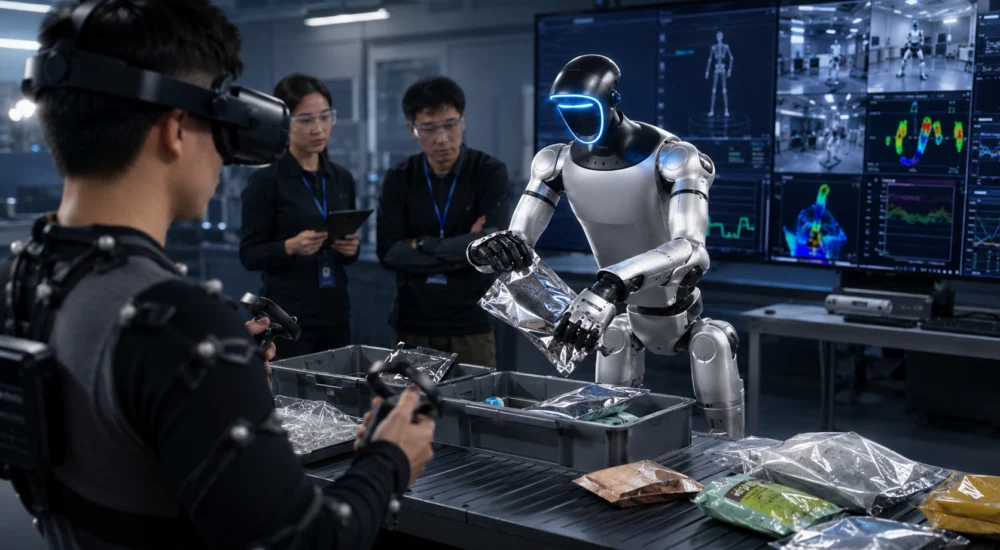
A unitree teleoperation robot keeps human judgment inside the control loop while preserving the robot’s mobility, reach, sensing, and remote physical presence. The operator resolves ambiguity in real time, while the system captures how successful actions unfold across perception, joint state, pose, contact, and task outcome.

A properly engineered teleoperation layer creates three immediate advantages:

1. The operations team can begin bounded task execution before generalized autonomy reaches production reliability, reducing the time between procurement and measurable use.

2. The robotics team can capture demonstrations based on the buyer’s actual tools, objects, workspaces, and failure conditions rather than relying only on generalized training data.

3. The safety team retains a defined intervention path when confidence, network quality, balance state, or task conditions move beyond the validated operating envelope.

The strongest deployment is rarely the most theatrical. Supervised control creates greater embodied AI deployment velocity when it allows an organization to quantify operator workload, identify repeatable subtasks, and determine where automation produces genuine capital efficiency rather than merely shifting hidden labor into exception handling.

Which Unitree Configuration Fits Manipulation Research?

Product selection should begin with the data objective because a locomotion platform and a manipulation platform support different research programs. Dexterity teams need controllable hands, secondary-development access, sufficient onboard compute, and a teleoperation architecture capable of recording synchronized demonstrations across the full control loop.

The G1 Edu Pro F combines 35 degrees of freedom, 100 TOPS of edge compute, secondary-development access, and tactile five-finger hands, making it the appropriate Unitree body when the program requires force-aware grasping experiments under supervised control.

The Tobor Harness Teleoperation System pairs XR control, hand controllers, body tracking, whole-body command, and synchronized data capture so that each G1 session produces operator-guided manipulation trajectories rather than an isolated remote-control demonstration.

This pairing reduces deployment friction by aligning the robot body, end effectors, operator interface, and data workflow before custom development begins. That integration discipline protects the program from downstream failure modes such as unusable demonstrations, calibration drift, unstable command mapping, incomplete telemetry, and repeated model-training work caused by fragmented data collection.

How Should Buyers Compare Teleoperation With Autonomy?

The comparison becomes more useful when buyers stop treating teleoperation and autonomy as competing endpoints. Unitree teleoperation functions as both an operating layer and a data-generation system that supports progressively more autonomous behavior across pilot-to-production pipelines.

1. Teleoperation fits variable, low-volume, or exception-heavy workflows because human supervision can absorb uncertainty that would otherwise require an uneconomical amount of task-specific training.

2. Autonomous control fits bounded and repetitive workflows where objects, geometry, access conditions, and recovery procedures remain stable enough to produce a measurable intervention rate.

3. Hybrid control fits most near-term deployments because validated routines can run autonomously while operators resolve ambiguity, authorize recovery, or assume direct control.

4. Manual remote control creates limited strategic value unless the system preserves synchronized telemetry, demonstrations, and outcome labels that contribute to future model development.

The Total Cost of Ownership (TCO) model should therefore include operator labor, network architecture, station utilization, safety supervision, data storage, model development, calibration, and failure recovery. A platform marketed as autonomous can carry a higher effective TCO when intervention remains frequent but the operator workflow, escalation logic, and data architecture were never designed explicitly.

What Should Buyers Require From Teleoperation Services?

Serious unitree teleoperation services should define the operating architecture before demonstrating the interface. Buyers need documented latency budgets, degraded-network behavior, emergency-stop authority, operator-to-robot ratios, calibration procedures, data ownership, session logging, and the transition logic between autonomous and manual control.

Without those controls, teleoperation remains a demonstration feature rather than an operational system. A credible service model should also identify which failures are handled by the robot, which require operator intervention, and which conditions force a safe stop.

The economic objective matters as well. A buyer pursuing immediate labor substitution needs dependable throughput, predictable intervention rates, and quantified station utilization; a buyer pursuing long-term capital efficiency may accept a supervised research phase because the resulting physical datasets reduce future model-development cost and create a proprietary advantage around task-specific manipulation.

When Should a Team Buy the System?

Organizations preparing to buy unitree teleoperation system hardware should proceed when the workflow is bounded, the operator environment is defined, the data policy is clear, and successful intervention can be measured. The program should remain in architecture planning when network conditions cannot support safe control, no internal owner exists for the resulting datasets, or the target task is still too ambiguous to produce a defensible operating envelope.

Toborlife AI has already compressed this implementation surface by pairing Unitree humanoid configurations with XR control, dexterous-hand options, domestic logistics, and deployment-side engineering diligence. The value lies in entering procurement with the robot body, operator station, safety authority, network topology, data capture, and development pathway already treated as one integrated system rather than a collection of disconnected components.

For teams moving from manipulation research toward a production-grade teleoperation stack, Toborlife AI provides the U.S. distribution and implementation layer required to turn Unitree hardware into a controlled, supportable deployment. Talk with our team before procurement to align the robot, operator station, safety controls, network architecture, and data pipeline—before configuration gaps become sunk cost.

Ready to make this robot yours?

Shop Now

Contact Us

Call 408-409-4061 or fill out the form

Floating Contact Form

"*" indicates required fields

This field is for validation purposes and should be left unchanged.
footer-logo
  • instagram
  • Tiktok
  • Facebook
  • X
  • Linkedin
  • Linkedin

LET US HELP YOU

  • Shipping
  • Return & Exchanges
  • Cancel an Order
  • Warranty
  • Payment Information
  • Contact Us

GET TO KNOW US

  • About Us
  • Terms and Conditions
  • Privacy Policy

COMMUNITY

  • Robot News
  • Toborlife Event
  • Book Us for Events
  • Join Our Affiliate Program
All Rights Reserved © 2026.
We are a robotics company based in Mountain View, California, specializing in physical AI and advanced robotic systems. We are not affiliated with similarly named software or SaaS companies.
Scroll to top
TOBoRLife

Can Navigate Rough Terrain

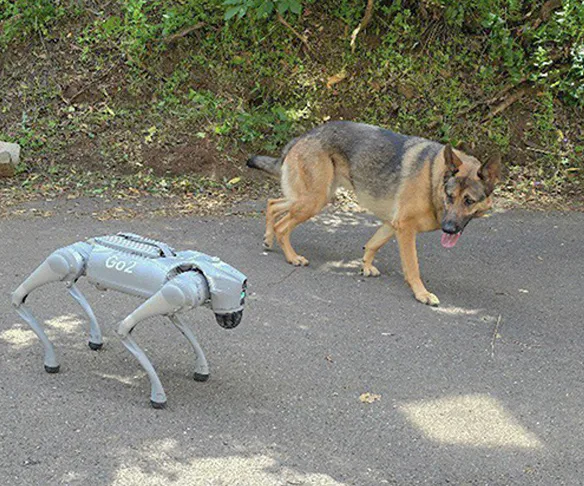
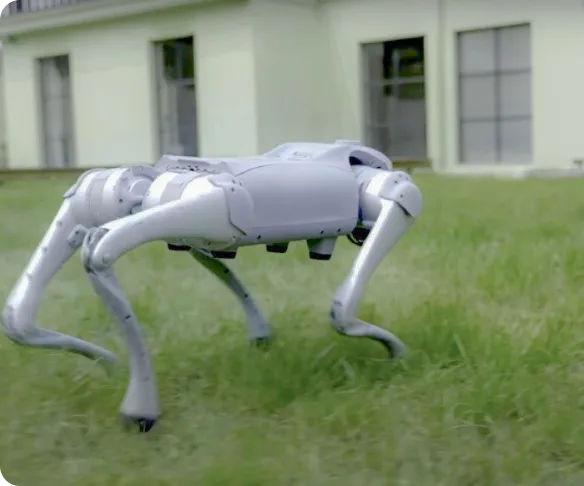
The Home Dog effortlessly maneuvers up and down stairs with precision and avoids obstacles autonomously, ensuring it never collides with walls or objects. Experience a robot designed for real-world navigation and equipped with cutting-edge technology.

TOBoRLife

Playful Entertainment For The Whole Family

Watch in awe as the Home Dog performs captivating tricks like flips, handstands, and lively dance routines. Plus, its state-of-the-art balancing capabilities ensure smooth and stable movements, making it safe and fun for everyone to enjoy.

TOBoRLife

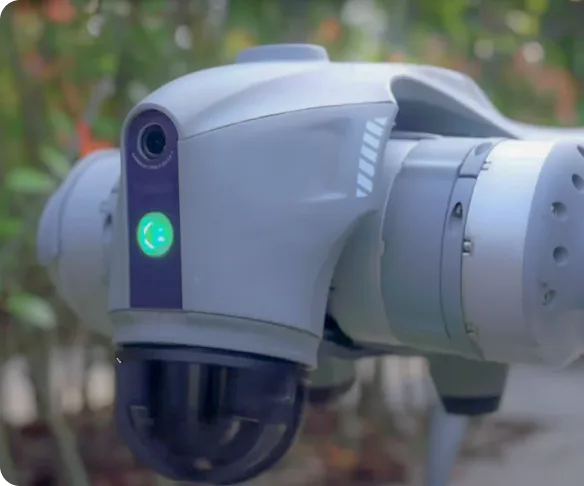
Camera provides security assistance for your home

Harness the Home Dog's camera feature for comprehensive home monitoring directly from your smartphone. Utilize this versatile robot as a mobile surveillance device to enhance your home's security.

TOBoRLife

Easy to control

Take charge of the Home Dog robot effortlessly with multiple control options: the bimanual controller, the companion remote control, or the intuitive phone app. When connected to the same WiFi network as the Home Dog, harness the power of voice command via your phone, allowing the Home Dog to respond and interact using ChatGPT.

TOBoRLife

Keeps up with you

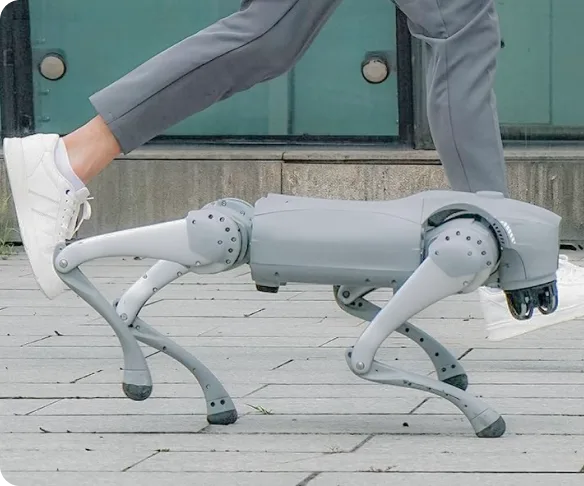
Stay in sync effortlessly with the Home Dog featuring our ISS 2.0 Intelligent Side-Follow System. This innovative technology allows the robot to smoothly track alongside you, matching your pace with precision. Experience seamless companionship and convenience like never before.

Cart

Free shipping. Fast Delivery.

    Your cart is empty

    Meet our robots

    Add to your order

        Subtotal —

        Discount

        Shipping

        Tax

        Estimated total —

        Taxes and shipping calculated at checkout

        Check out View cart