
• UNITREE ROBOTICS’ NO.1 US PARTNER

  • FREE SHIPPING, DELIVERY AND LOCAL SUPPORT
  • WIN A ROBOT NOW
  • SALES AND ENGINEERING OFFICES BASED IN MOUNTAIN VIEW, CA AND LAS VEGAS, NV

  • (408) 409-4061
  • UNITREE ROBOTICS’ NO.1 US PARTNER

  • FREE SHIPPING, DELIVERY AND LOCAL SUPPORT
  • WIN A ROBOT NOW
  • SALES AND ENGINEERING OFFICES BASED IN MOUNTAIN VIEW, CA AND LAS VEGAS, NV

  • (408) 409-4061
Toborlife AI Robots
Applications
Teleoperation Interactive Package Performance Robot Home Business Education & Research Police & Fire Safety
Media
Robot News Toborlife Event Robot Blogs
Resource Center
Win a Robot

(408) 409-4061 Talk to an Expert
  • Go2 Pro & Edu
  • Go2 Ent
  • A2
  • B2
  • Quadruped Manipulation Package
  • Homedog (Go2 Pro)
  • Go2 Edu Standard
  • Go2 Edu Plus
  • Go2 Edu Mid-360
  • Go2 Edu Hesai XT16
  • Go2 X
  • Shop All Go2 Edu Models
  • Go2 Ent
  • Go2 Ent Plus
  • Go2 Ent MPTZ
  • Go2 Ent GAS
  • Quadruped Manipulation Package
  • A2
  • A2 Pro
  • A2-W
  • A2-W Pro
  • Shop All A2 Models
  • B2
  • B2-W
Get Accessories
Go2 Go2 Edu Go2-Ent A2 B2 B2-W
  • G1
  • R1
  • H2
  • G1 Basic
  • G1 Edu Standard
  • G1 Edu Plus
  • G1 Edu Pro A
  • G1 Edu Pro B
  • G1 Edu Pro E
  • G1 Edu Pro F
  • G1 Edu Pro G
  • G1 Edu Pro H
  • G1 Edu Pro I
  • G1 Edu Pro SAKE
  • G1 Edu Ultimate A
  • G1 Edu Ultimate B
  • G1 Edu Ultimate C
  • G1 Edu Ultimate D
  • G1 Edu Ultimate E
  • G1 Edu Ultimate F
  • G1 Edu Ultimate G
  • G1 Edu Ultimate H
  • G1 Edu Ultimate I
  • G1 Edu Ultimate SAKE
  • G1 Pro
  • G1 E
  • G1 E Performance
  • G1 Edu Boxing
  • G1 Comp
  • Shop All G1 Models
  • R1 Basic
  • R1 Edu Standard
  • R1 Edu Smart
  • R1 Edu Pro A/B
  • R1 Edu Pro C/D
  • Shop All R1 Models
  • H2 Basic
  • H2 Edu Standard
  • H2 Edu Smart A
  • H2 Edu Smart B
  • H2 Edu Smart C
  • H2 Edu Smart D
  • H2 Edu Smart E
  • H2 Edu Smart F
  • H2 Edu Smart G
  • H2 Edu Smart H
  • H2 Edu Smart I
  • H2 Edu Smart J
  • H2 Edu Smart K
  • H2 Edu Smart L
  • H2 Edu Smart M
  • H2 Plus Smart
  • H2 Plus Ultimate A
  • H2 Plus Ultimate B
  • H2 Plus Ultimate C
  • H2 Plus Ultimate D
  • H2 Plus Ultimate E
  • H2 Plus Ultimate F
  • H2 Plus Ultimate G
  • H2 Plus Ultimate H
  • H2 Plus Ultimate I
  • H2 Plus Ultimate J
  • H2 Plus Ultimate K
  • H2 Plus Ultimate L
  • H2 Plus Ultimate M
  • H2 Plus Ultimate N
  • Shop All H2 Models
Get Accessories
G1 R1 H2
Toborlife AI Robots
Phone Icon
cart-icon
  • No products in the cart.
View Cart
Subtotal: $0
    • Homedog Homedog (Go2 Pro)
      • All Go2 Edu ModelsAll Go2 Edu Models
      • Go2 Edu Go2 Edu Standard
      • Go2 Edu Plus Go2 Edu Plus
      • Go2 Edu Mid-360 Go2 Edu Mid-360
      • Go2 Edu Hesai XT16 Go2 Edu Hesai XT16
      • Go2 ent Go2 Ent
      • Go2 ent Go2 Ent Plus
      • Go2 ent Go2 Edu MPTZ
      • Go2 ent Go2 Ent GAS
      • All A2 ModelsAll A2 Models
      • A2 A2
      • A2 Pro A2 Pro
      • A2 W A2-W
      • A2 W Pro A2-W Pro
    • B2 EDU B2
    • B2-W B2-W
    • Quadruped Manipulation Package Quadruped Manipulation Package
    • Get accessories for...
    • Homedog
    • Go2 Edu
    • Go2 Ent
    • B2
    • B2-W
      • G1 BasicAll G1 Models
      • Unitree G1 BasicG1 Basic
      • Unitree G1 Edu StandardG1 Edu Standard
      • Unitree G1 Edu PlusG1 Edu Plus
      • Unitree G1 Edu Pro AG1 Edu Pro A
      • Unitree G1 Edu Pro BG1 Edu Pro B
      • Unitree G1 Edu Pro EG1 Edu Pro E
      • Unitree G1 Edu Pro FG1 Edu Pro F
      • Unitree G1 Edu Pro GG1 Edu Pro G
      • Unitree G1 Edu Pro HG1 Edu Pro H
      • Unitree G1 Edu Pro IG1 Edu Pro I
      • Unitree G1 Edu Pro SAKEG1 Edu Pro SAKE
      • Unitree G1 Edu Ultimate AG1 Edu Ultimate A
      • Unitree G1 Edu Ultimate BG1 Edu Ultimate B
      • Unitree G1 Edu Ultimate CG1 Edu Ultimate C
      • Unitree G1 Edu Ultimate DG1 Edu Ultimate D
      • Unitree G1 Edu Ultimate EG1 Edu Ultimate E
      • Unitree G1 Edu Ultimate FG1 Edu Ultimate F
      • Unitree G1 Edu Ultimate GG1 Edu Ultimate G
      • Unitree G1 Edu Ultimate HG1 Edu Ultimate H
      • Unitree G1 Edu Ultimate IG1 Edu Ultimate I
      • Unitree G1 Edu Ultimate SAKEG1 Edu Ultimate SAKE
      • Unitree G1 ProG1 Pro
      • Unitree G1 EG1 E
      • Unitree G1 E PerformanceG1 E Performance
      • Unitree G1 Edu BoxingG1 Edu Boxing
      • Unitree G1 CompG1 Comp
      • All R1 ModelsAll R1 Models
      • R1R1 Basic
      • R1R1 Edu Standard
      • R1R1 Edu Smart
      • R1R1 Edu Pro A
      • R1R1 Edu Pro B
      • R1R1 Edu Pro C
      • R1R1 Edu Pro D
      • All H2 ModelsAll H2 Models
      • Unitree H2 BasicH2 Basic
      • Unitree H2 Edu StandardH2 Edu Standard
      • Unitree H2 Edu Smart AH2 Edu Smart A
      • Unitree H2 Edu Smart BH2 Edu Smart B
      • Unitree H2 Edu Smart CH2 Edu Smart C
      • Unitree H2 Edu Smart DH2 Edu Smart D
      • Unitree H2 Edu Smart EH2 Edu Smart E
      • Unitree H2 Edu Smart FH2 Edu Smart F
      • Unitree H2 Edu Smart GH2 Edu Smart G
      • Unitree H2 Edu Smart HH2 Edu Smart H
      • Unitree H2 Edu Smart IH2 Edu Smart I
      • Unitree H2 Edu Smart JH2 Edu Smart J
      • Unitree H2 Edu Smart KH2 Edu Smart K
      • Unitree H2 Edu Smart LH2 Edu Smart L
      • Unitree H2 Edu Smart MH2 Edu Smart M
      • Unitree H2 Plus SmartH2 Plus Smart
      • Unitree H2 Plus Ultimate AH2 Plus Ultimate A
      • Unitree H2 Plus Ultimate BH2 Plus Ultimate B
      • Unitree H2 Plus Ultimate CH2 Plus Ultimate C
      • Unitree H2 Plus Ultimate DH2 Plus Ultimate D
      • Unitree H2 Plus Ultimate EH2 Plus Ultimate E
      • Unitree H2 Plus Ultimate FH2 Plus Ultimate F
      • Unitree H2 Plus Ultimate GH2 Plus Ultimate G
      • Unitree H2 Plus Ultimate HH2 Plus Ultimate H
      • Unitree H2 Plus Ultimate IH2 Plus Ultimate I
      • Unitree H2 Plus Ultimate JH2 Plus Ultimate J
      • Unitree H2 Plus Ultimate KH2 Plus Ultimate K
      • Unitree H2 Plus Ultimate LH2 Plus Ultimate L
      • Unitree H2 Plus Ultimate MH2 Plus Ultimate M
      • Unitree H2 Plus Ultimate NH2 Plus Ultimate N
    • Get accessories for...
    • G1 Basic
    • G1 Edu
    • H2
    • R1
  • Talk to an Expert
    • Teleoperation
    • Interactive Package
    • Performance Robot
    • Home
    • Business
    • Education & Research
    • Police & Fire Safety
    • Robot News
    • Robot Diaries
    • Robot Blogs
  • Enter to Win a Robot
  • Resource Center
  • About Us
  • Shipping
  • Returns and Exchanges
  • Warranty
  • Contact Us
Search
Clear
Tweet
Unitree-R1-for-Sale

Is the Unitree R1 Actually Programmable?

Toborlife AI September 29, 2026

A community college robotics student asked it plainly on Reddit: can the R1 run a local AI model, does it have an SDK, can you actually modify it? The thread got buried in replies about consumer robots versus research platforms, and nobody gave a straight answer.

Here’s the straight answer: Unitree R1 programmable access depends entirely on which R1 you buy. Not every configuration on the price sheet gives you that access, and the gap between the ones that do and the ones that don’t is bigger than most buyers expect.

Discover how robots can better your life!

Discover Now

The Real Divide: Basic vs. Edu

Unitree sells two categories of R1, and they’re not the same product with different price tags. They’re different products for different jobs.

R1 Basic runs $8,990. It has an 8-core CPU, a binocular camera, a 1-hour battery, and a handheld remote. It does not support secondary development. Although writing custom code for it isn’t part of the package, this robot still allows users to control the robot to perform dances with the remote controller. 

R1 Edu starts at $15,950. Every Edu configuration, from the base Standard model up through the higher-tier Pro variants with different dexterous hands, supports secondary development. The Standard tier adds a 40 TOPS compute docking station; Edu Smart and the Pro configurations step up to 100 TOPS. That compute headroom is what makes custom code, simulation training, and model integration possible in the first place.

If a buyer wants to write code for an R1, Basic is off the table before the question of “how” even comes up. Anyone researching Unitree R1 programmable options should start the search here to determine which unit they need. 

What Secondary Development Access Actually Means

Unitree publishes an official Robot SDK, unitree_sdk2, and it covers the R1 alongside the rest of the platform lineup. The SDK supports C++ development, with a Python interface available through unitree_sdk2_python.

The repository includes an R1-specific implementation, not a generic wrapper. There are working examples for R1 arm control, including a high-level example that reads joint state and publishes arm commands over a dedicated DDS topic. The interface exposes individual joints: shoulder pitch, shoulder roll, shoulder yaw, elbow, wrist roll, waist yaw, head pitch and yaw, on both arms independently.

That’s the concrete version of “programmable”: joint-level control through a documented interface. Unitree also provides development manuals and simulation interfaces alongside the SDK, with Isaac Sim listed as a supported simulation environment for Edu configurations.

Unitree also states the R1 as integrating multimodal capability for speech and image handling, great for researchers to development on. 

Discover how robots can better your life!

See Details

Unitree R1 vs. Unitree G1 for Developers

Both platforms are built for people who write code against a humanoid robot, but they solve different problems. The Unitree G1 is Unitree’s primary research and coursework platform, with every configuration built around secondary development from the battery life to the sensor configuration. 

A team that knows it needs a programmable platform from day one is usually better served starting the evaluation with the G1. A team still deciding whether they need full development access, or one specifically drawn to the R1’s form factor and price point, is where the Basic-versus-Edu decision inside the R1 line actually matters. 

What Unitree R1 Programmable Access Gets You, by Tier

R1 Basic: remote-operated behaviors as shipped. No code, no SDK access, no simulation environment. Great for demonstrations and general operation, but not suitable for anyone planning custom software.

R1 Edu Standard: joint-level control through the SDK, 40 TOPS of onboard compute, Isaac Sim compatibility. Enough headroom for coursework, early prototyping, and most single-arm manipulation experiments.

R1 Edu Smart and the Pro configurations: the same development access at 100 TOPS, paired with more capable dexterous hands. That’s where compute-heavy work, like pairing a vision or language model with the control stack in real time, starts to make sense.

Hardware Limits That Matter

Every R1 configuration shares a 2 kg maximum single-arm payload and roughly a 1-hour battery life. Those numbers don’t change with the tier upgrade, and they should factor into any project plan regardless of which R1 gets ordered. A 100 TOPS compute module doesn’t buy back arm strength or runtime. Programmability solves the software problem. The hardware limits stay the same either way.

Getting Started

The tier decision comes first, before any question about frameworks or code. Basic buyers get a working robot. Edu buyers get an R1 that’s programmable, with the compute and SDK access to back it up.

Toborlife AI carries the Unitree R1 for sale across both tiers, so the buy decision and the tier decision can happen in the same conversation instead of two separate ones. Anyone weighing whether to buy an R1 robot, or unsure which tier fits their project, or weighing an R1 against a Unitree G1 or H2 instead, should reach out to Toborlife’s team before ordering. Talk to a Robotics Expert →

Ready to make this robot yours?

Shop Now
  • Share:

Comments are closed for this post.

Search

Recent News

  • Unitree Go2 Pro vs. Go2 Edu: Which Robot Dog Should Schools Buy for STEM Classes?
    November 2, 2026
  • Unitree G1 Basic vs. G1 Edu: Which Fits a Physical AI Data Collection Lab?
    October 30, 2026
  • Unitree R1 Basic vs. R1 Edu: Which Should Universities Choose for Their First Humanoid Robotics Lab?
    October 26, 2026
  • How Much Does the Unitree G1 Cost? A Complete Pricing Guide
    October 21, 2026
  • Unitree XR Teleoperation vs. Custom Vision Control: Which Workflow Should Labs Use in 2026?
    October 19, 2026

Archive

  • October 2026 1
  • September 2026 9
  • August 2026 6
  • July 2026 10
  • June 2026 9
  • May 2026 10
  • April 2026 10
  • March 2026 14
  • February 2026 11
  • January 2026 12
  • December 2025 14
  • November 2025 12
  • October 2025 14
  • September 2025 13
  • August 2025 13
  • July 2025 12
  • June 2025 8
  • May 2025 11
  • April 2025 8
  • March 2025 7
  • February 2025 9
  • January 2025 3

Contact Us

Call 408-409-4061 or fill out the form

Floating Contact Form

"*" indicates required fields

footer-logo
  • instagram
  • Tiktok
  • Facebook
  • X
  • Linkedin
  • Linkedin

LET US HELP YOU

  • Shipping
  • Return & Exchanges
  • Cancel an Order
  • Warranty
  • Payment Information
  • Contact Us

GET TO KNOW US

  • About Us
  • Terms and Conditions
  • Privacy Policy

COMMUNITY

  • Robot News
  • Toborlife Event
  • Book Us for Events
  • Join Our Affiliate Program
All Rights Reserved © 2026.
We are a robotics company based in Mountain View, California, specializing in physical AI and advanced robotic systems. We are not affiliated with similarly named software or SaaS companies.
Scroll to top
TOBoRLife

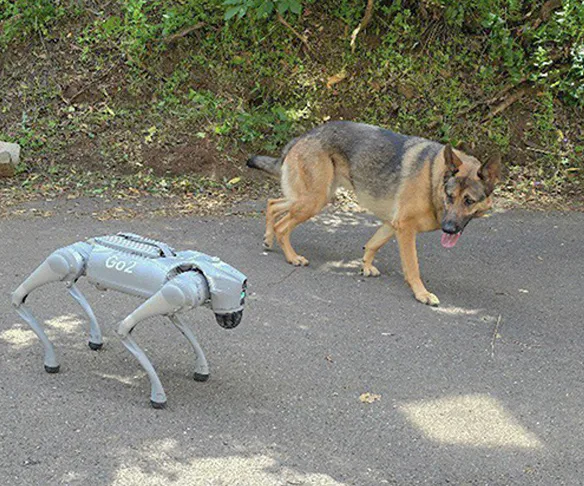
Can Navigate Rough Terrain

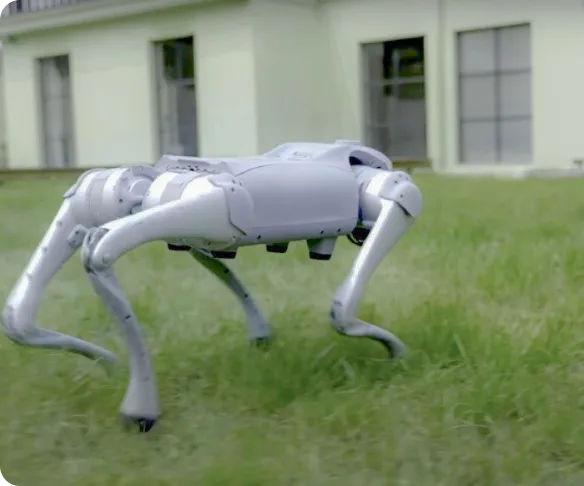
The Home Dog effortlessly maneuvers up and down stairs with precision and avoids obstacles autonomously, ensuring it never collides with walls or objects. Experience a robot designed for real-world navigation and equipped with cutting-edge technology.
TOBoRLife

Playful Entertainment For The Whole Family

Watch in awe as the Home Dog performs captivating tricks like flips, handstands, and lively dance routines. Plus, its state-of-the-art balancing capabilities ensure smooth and stable movements, making it safe and fun for everyone to enjoy.
TOBoRLife

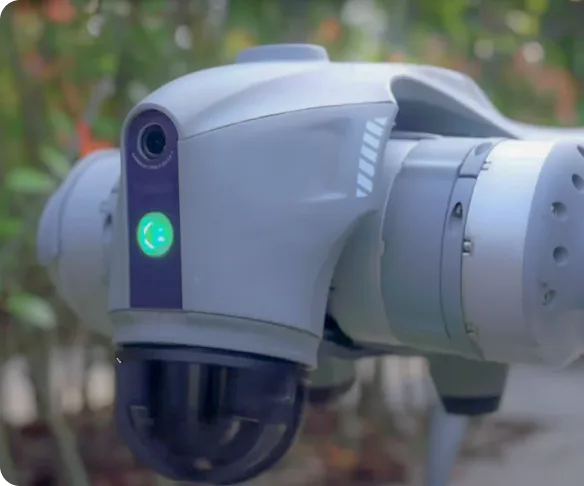
Camera provides security assistance for your home

Harness the Home Dog's camera feature for comprehensive home monitoring directly from your smartphone. Utilize this versatile robot as a mobile surveillance device to enhance your home's security.
TOBoRLife

Easy to control

Take charge of the Home Dog robot effortlessly with multiple control options: the bimanual controller, the companion remote control, or the intuitive phone app. When connected to the same WiFi network as the Home Dog, harness the power of voice command via your phone, allowing the Home Dog to respond and interact using ChatGPT.
TOBoRLife

Keeps up with you

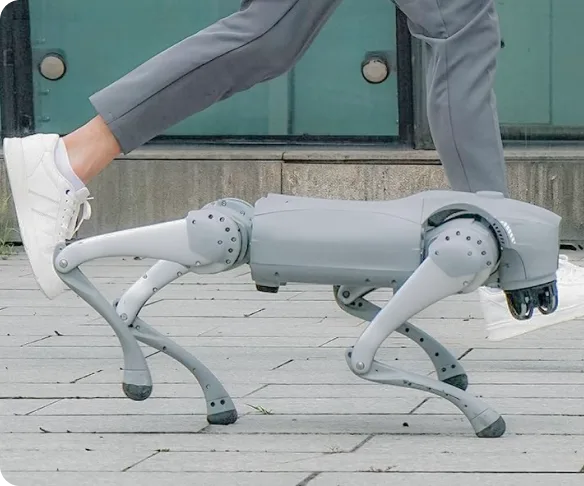
Stay in sync effortlessly with the Home Dog featuring our ISS 2.0 Intelligent Side-Follow System. This innovative technology allows the robot to smoothly track alongside you, matching your pace with precision. Experience seamless companionship and convenience like never before.

Cart

Free shipping. Fast Delivery.

    Your cart is empty

    Meet our robots

    Add to your order

        Subtotal —

        Discount

        Shipping

        Tax

        Estimated total —

        Taxes and shipping calculated at checkout

        Check out View cart