• UNITREE ROBOTICS’ NO.1 US PARTNER

  • FREE SHIPPING, DELIVERY AND LOCAL SUPPORT
  • WIN A ROBOT NOW
  • SALES AND ENGINEERING OFFICES BASED IN MOUNTAIN VIEW, CA AND LAS VEGAS, NV

  • (408) 409-4061
  • UNITREE ROBOTICS’ NO.1 US PARTNER

  • FREE SHIPPING, DELIVERY AND LOCAL SUPPORT
  • WIN A ROBOT NOW
  • SALES AND ENGINEERING OFFICES BASED IN MOUNTAIN VIEW, CA AND LAS VEGAS, NV

  • (408) 409-4061

Free battery with every R1 EDU Pro D — ends 11/27

Toborlife AI Robots
Applications Applications
Teleoperation A2 Quadruped Manipulation Package Interactive Package Performance Robot Home Business Education & Research Police & Fire Safety
Media Media
Robot News Toborlife Event Robot Blogs
Resource Center
Win a Robot

(408) 409-4061 Talk to an Expert
  • Go2 Pro & Edu
  • Go2 Ent
  • A2
  • A2 Quadruped Manipulation Package
  • B2
  • Homedog (Go2 Pro)
  • Go2 Edu Standard
  • Go2 Edu Plus
  • Go2 Edu Mid-360
  • Go2 Edu Hesai XT16
  • Go2 X
  • Shop All Go2 Edu Models
  • Go2 Ent
  • Go2 Ent Plus
  • Go2 Ent MPTZ
  • Go2 Ent GAS
  • A2
  • A2 Pro
  • A2-W
  • A2-W Pro
  • Shop All A2 Models
  • A2 Quadruped Manipulation Package
  • B2
  • B2-W
Get Accessories
Go2 Go2 Edu Go2-Ent A2 B2 B2-W
  • G1
  • R1
  • H2
  • G1 Basic
  • G1 Edu Standard
  • G1 Edu Plus
  • G1 Edu Pro A
  • G1 Edu Pro B
  • G1 Edu Pro E
  • G1 Edu Pro F
  • G1 Edu Pro G
  • G1 Edu Pro H
  • G1 Edu Pro I
  • G1 Edu Pro SAKE
  • G1 Edu Ultimate A
  • G1 Edu Ultimate B
  • G1 Edu Ultimate C
  • G1 Edu Ultimate D
  • G1 Edu Ultimate E
  • G1 Edu Ultimate F
  • G1 Edu Ultimate G
  • G1 Edu Ultimate H
  • G1 Edu Ultimate I
  • G1 Edu Ultimate SAKE
  • G1 Pro
  • G1 E
  • G1 E Performance
  • G1 Edu Boxing
  • G1 Comp
  • Shop All G1 Models
  • R1 Basic
  • R1 Edu Standard
  • R1 Edu Smart
  • R1 Edu Pro A/B
  • R1 Edu Pro C/D
  • Shop All R1 Models
  • H2 Basic
  • H2 Edu Standard
  • H2 Edu Smart A
  • H2 Edu Smart B
  • H2 Edu Smart C
  • H2 Edu Smart D
  • H2 Edu Smart E
  • H2 Edu Smart F
  • H2 Edu Smart G
  • H2 Edu Smart H
  • H2 Edu Smart I
  • H2 Edu Smart J
  • H2 Edu Smart K
  • H2 Edu Smart L
  • H2 Edu Smart M
  • H2 Plus Smart
  • H2 Plus Ultimate A
  • H2 Plus Ultimate B
  • H2 Plus Ultimate C
  • H2 Plus Ultimate D
  • H2 Plus Ultimate E
  • H2 Plus Ultimate F
  • H2 Plus Ultimate G
  • H2 Plus Ultimate H
  • H2 Plus Ultimate I
  • H2 Plus Ultimate J
  • H2 Plus Ultimate K
  • H2 Plus Ultimate L
  • H2 Plus Ultimate M
  • H2 Plus Ultimate N
  • Shop All H2 Models
Get Accessories
G1 R1 H2
Toborlife AI Robots
Search
Phone Icon
cart-icon
  • No products in the cart.
View Cart
Subtotal: $0
    • Homedog Homedog (Go2 Pro)
      • All Go2 Edu ModelsAll Go2 Edu Models
      • Go2 Edu Go2 Edu Standard
      • Go2 Edu Plus Go2 Edu Plus
      • Go2 Edu Mid-360 Go2 Edu Mid-360
      • Go2 Edu Hesai XT16 Go2 Edu Hesai XT16
      • Go2 ent Go2 Ent
      • Go2 ent Go2 Ent Plus
      • Go2 ent Go2 Edu MPTZ
      • Go2 ent Go2 Ent GAS
      • All A2 ModelsAll A2 Models
      • A2 A2
      • A2 Pro A2 Pro
      • A2 W A2-W
      • A2 W Pro A2-W Pro
    • A2 Quadruped Manipulation Package A2 Quadruped Manipulation Package
    • B2 EDU B2
    • B2-W B2-W
    • Get accessories for...
    • Homedog
    • Go2 Edu
    • Go2 Ent
    • B2
    • B2-W
      • G1 BasicAll G1 Models
      • Unitree G1 BasicG1 Basic
      • Unitree G1 Edu StandardG1 Edu Standard
      • Unitree G1 Edu PlusG1 Edu Plus
      • Unitree G1 Edu Pro AG1 Edu Pro A
      • Unitree G1 Edu Pro BG1 Edu Pro B
      • Unitree G1 Edu Pro EG1 Edu Pro E
      • Unitree G1 Edu Pro FG1 Edu Pro F
      • Unitree G1 Edu Pro GG1 Edu Pro G
      • Unitree G1 Edu Pro HG1 Edu Pro H
      • Unitree G1 Edu Pro IG1 Edu Pro I
      • Unitree G1 Edu Pro SAKEG1 Edu Pro SAKE
      • Unitree G1 Edu Ultimate AG1 Edu Ultimate A
      • Unitree G1 Edu Ultimate BG1 Edu Ultimate B
      • Unitree G1 Edu Ultimate CG1 Edu Ultimate C
      • Unitree G1 Edu Ultimate DG1 Edu Ultimate D
      • Unitree G1 Edu Ultimate EG1 Edu Ultimate E
      • Unitree G1 Edu Ultimate FG1 Edu Ultimate F
      • Unitree G1 Edu Ultimate GG1 Edu Ultimate G
      • Unitree G1 Edu Ultimate HG1 Edu Ultimate H
      • Unitree G1 Edu Ultimate IG1 Edu Ultimate I
      • Unitree G1 Edu Ultimate SAKEG1 Edu Ultimate SAKE
      • Unitree G1 ProG1 Pro
      • Unitree G1 EG1 E
      • Unitree G1 E PerformanceG1 E Performance
      • Unitree G1 Edu BoxingG1 Edu Boxing
      • Unitree G1 CompG1 Comp
      • All R1 ModelsAll R1 Models
      • R1R1 Basic
      • R1R1 Edu Standard
      • R1R1 Edu Smart
      • R1R1 Edu Pro A
      • R1R1 Edu Pro B
      • R1R1 Edu Pro C
      • R1R1 Edu Pro D
      • All H2 ModelsAll H2 Models
      • Unitree H2 BasicH2 Basic
      • Unitree H2 Edu StandardH2 Edu Standard
      • Unitree H2 Edu Smart AH2 Edu Smart A
      • Unitree H2 Edu Smart BH2 Edu Smart B
      • Unitree H2 Edu Smart CH2 Edu Smart C
      • Unitree H2 Edu Smart DH2 Edu Smart D
      • Unitree H2 Edu Smart EH2 Edu Smart E
      • Unitree H2 Edu Smart FH2 Edu Smart F
      • Unitree H2 Edu Smart GH2 Edu Smart G
      • Unitree H2 Edu Smart HH2 Edu Smart H
      • Unitree H2 Edu Smart IH2 Edu Smart I
      • Unitree H2 Edu Smart JH2 Edu Smart J
      • Unitree H2 Edu Smart KH2 Edu Smart K
      • Unitree H2 Edu Smart LH2 Edu Smart L
      • Unitree H2 Edu Smart MH2 Edu Smart M
      • Unitree H2 Plus SmartH2 Plus Smart
      • Unitree H2 Plus Ultimate AH2 Plus Ultimate A
      • Unitree H2 Plus Ultimate BH2 Plus Ultimate B
      • Unitree H2 Plus Ultimate CH2 Plus Ultimate C
      • Unitree H2 Plus Ultimate DH2 Plus Ultimate D
      • Unitree H2 Plus Ultimate EH2 Plus Ultimate E
      • Unitree H2 Plus Ultimate FH2 Plus Ultimate F
      • Unitree H2 Plus Ultimate GH2 Plus Ultimate G
      • Unitree H2 Plus Ultimate HH2 Plus Ultimate H
      • Unitree H2 Plus Ultimate IH2 Plus Ultimate I
      • Unitree H2 Plus Ultimate JH2 Plus Ultimate J
      • Unitree H2 Plus Ultimate KH2 Plus Ultimate K
      • Unitree H2 Plus Ultimate LH2 Plus Ultimate L
      • Unitree H2 Plus Ultimate MH2 Plus Ultimate M
      • Unitree H2 Plus Ultimate NH2 Plus Ultimate N
    • Get accessories for...
    • G1 Basic
    • G1 Edu
    • H2
    • R1
  • Talk to an Expert
    • Teleoperation
    • A2 Quadruped Manipulation Package
    • Interactive Package
    • Performance Robot
    • Home
    • Business
    • Education & Research
    • Police & Fire Safety
    • Robot News
    • Robot Diaries
    • Robot Blogs
  • Enter to Win a Robot
  • Resource Center
  • About Us
  • Shipping
  • Returns and Exchanges
  • Warranty
  • Contact Us
Search
Clear
Tweet

News

Unitree G1

Unitree G1 Teleoperation with Tobor Harness™: Whole-Body Data Capture for Research and Development

  • By Toborlife AI
  • November 10, 2026
  • unitree G1
  • No comments

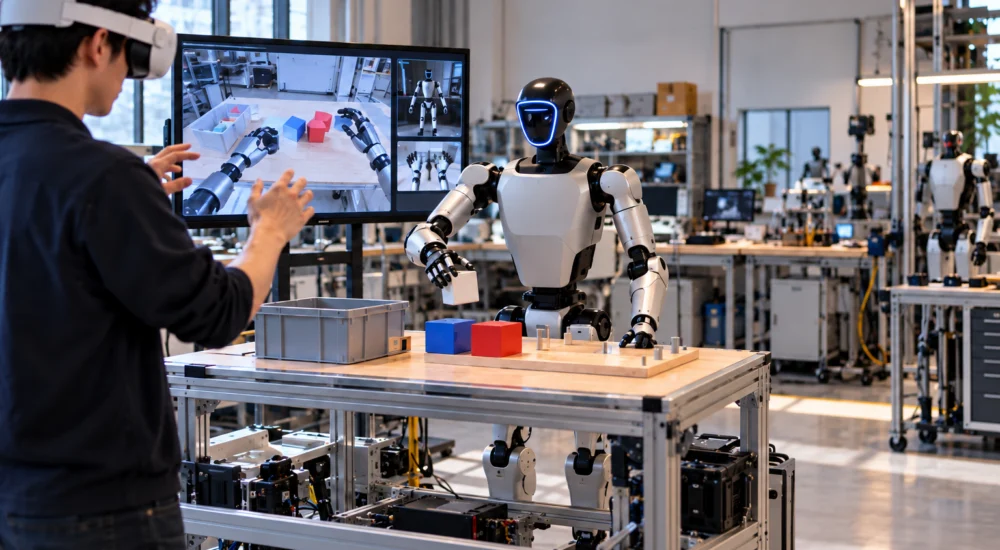
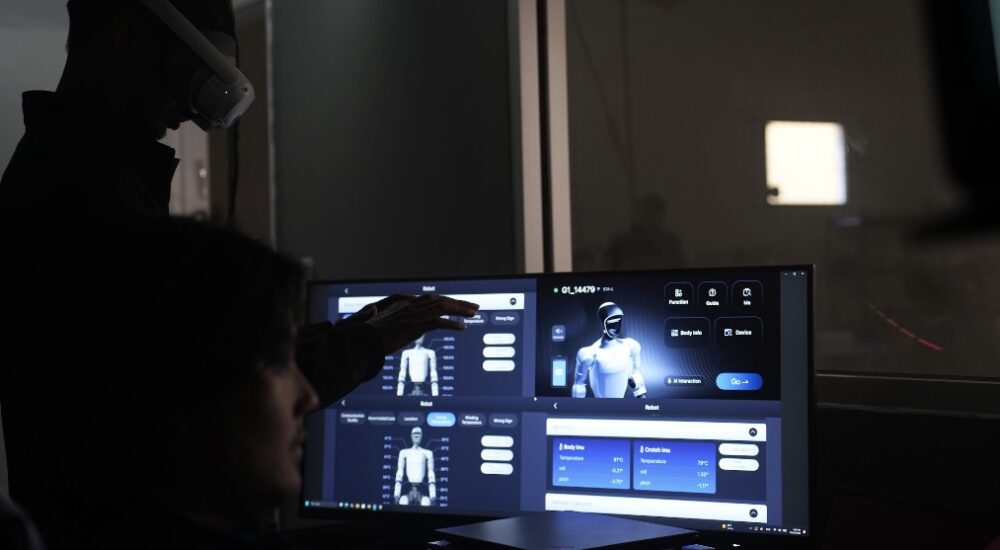
Tobor Harness™ is a whole-body teleoperation kit for the  Unitree G1. An operator wears a PICO 4 Ultra headset and motion trackers, and the G1 follows their arms, hands, and legs in real time. Every Unitree G1 teleoperation session produces demonstration data that research teams use to train robot policies.

For R&D teams, two things decide whether Unitree G1 teleoperation is worth the setup: how natural the control feels to the operator, and how clean the data is afterward. Tobor Harness is built around both.

Discover how robots can better your life!

See Details

Why Teleoperation Data Matters for Humanoid Training

Humanoid robots learn many manipulation and whole-body skills from human demonstrations. An operator performs a task through the robot, the system records it, and a model learns from many repetitions.

The quality of that dataset depends on the operator. If control feels awkward, demonstrations come out hesitant and inconsistent, and the model learns the hesitation. If control feels natural, the operator moves with intent, and each run looks like the last. Smooth Unitree G1 teleoperation produces better training data.

What’s in the Tobor Harness Teleoperation Kit

The Unitree G1 teleoperation kit ($15,000 MSRP) includes:

1. PICO 4 Ultra headset for an immersive first-person view through the robot’s cameras

2. Two PICO 4 motion trackers for lower-body tracking

3. Integrated teleoperation software and control system for dexterous manipulation and whole-body control

Toborlife AI designs and manufactures Tobor Harness. The kit pairs with the G1 Edu and is positioned for advanced research and education programs.

Whole-Body Control: Arms, Hands, and Legs Together

Many teleoperation setups control the arms and leave the robot standing still. Tobor Harness drives the whole robot. The operator’s arm and hand motion maps to the G1’s arms and dexterous hands. Leg trackers capture lower-body movement, so the operator can walk the robot through a space and reposition it mid-task.

Whole-body control (WBC) keeps the G1 balanced as the operator reaches, bends, and steps. That widens the range of tasks a team can demonstrate: picking an item off a low shelf, carrying it across a room, and placing it on a table, all in one continuous session.

Dexterous hand control lets operators demonstrate fine manipulation. Grasping, turning, and handing over objects become part of the dataset alongside locomotion.

Smooth, Low-Latency Unitree G1 Teleoperation

Responsiveness is what operators notice first. Tobor Harness keeps the delay between operator movement and robot response low enough that control feels direct. Operators correct grasps as they happen and keep a steady rhythm across repeated demonstrations.

Stereo vision from the G1 gives the operator depth through the headset. Judging distance to an object takes less guesswork, so reaches land closer to target on the first try. Less correction mid-motion means cleaner trajectories in the recorded data.

Operators also tire less when control feels natural. Longer, steadier sessions mean more usable demonstrations per day, and fewer runs thrown out during data review.

What a Unitree G1 Teleoperation Session Looks Like

A session starts with calibration. The operator puts on the headset and trackers, and the system aligns their posture with the G1’s. From there, the operator sees through the robot’s cameras and starts working.

A typical data collection block runs one task many times. Pick up the cup, move it, set it down, return to start. The research team watches the runs, flags any that went wrong, and adjusts the setup between blocks.

At the end of the day, the team has a set of demonstrations recorded from the same robot, the same operator, and the same scene. That consistency is what makes a dataset useful for training.

Built for Data Collection and Training

Tobor Harness is a data collection tool first. It produces the demonstration data that trains AI models. Each session records how a skilled operator performs a task through the robot’s own body, cameras, and joints.

Because the demonstrations come from the G1 itself, the data matches the hardware a team will deploy policies on. Research groups use this kind of data for imitation learning, policy training, and evaluation of manipulation and locomotion methods.

From Unitree G1 Remote Control to Full-Body Teleoperation

Every G1 ships with a handheld remote for basic Unitree G1 remote control: walking, turning, and preset motions. That’s useful for moving the robot around a lab. It doesn’t capture how a person would perform a task.

Full-body teleoperation does. The operator’s own movement becomes the robot’s movement, which is what demonstration-based training needs. Remote control moves the robot. Teleoperation teaches it.

Research and Development Uses

1. Imitation learning datasets: record repeated demonstrations of household, lab, or industrial tasks

2. Dexterous manipulation research: capture hand motion for grasping and in-hand manipulation studies

3. Whole-body skill studies: demonstrate tasks that combine walking, reaching, and carrying

4. Human-robot interaction: run studies with a human-driven humanoid in the room

5. Task prototyping: test whether a task is feasible on the G1 before investing in autonomy

Getting Set Up with Unitree G1 Teleoperation

Toborlife AI is an official Unitree partner in Mountain View, California. We help research teams get set up with Unitree G1 teleoperation, from configuring the G1 Edu to calibrating the harness and running first data collection sessions. After-sales support and repairs come from Unitree-trained technicians in North America.

Ready to start collecting whole-body data on the G1? Talk to a Robotics Expert →
Ready to make this robot yours?

Shop Now
unitree-go2-pro

Where can I buy an official Unitree Go2 robot dog with domestic warranty and fast shipping in the United States?

  • By Toborlife AI
  • November 7, 2026
  • Unitree Go2 Pro
  • No comments

The Unitree Go2 Pro lists at about $3,050 when you buy direct from Unitree. Shipped to a U.S. address, our checkout total came to about $3,800. That gap is the first thing to understand before you buy.

The second is what happens after you order: how fast the robot arrives, and who repairs it when something goes wrong.

Here’s what the Go2 Pro does, who it fits, and where to buy the Unitree Go2 Pro in the USA.

Discover how robots can better your life!

Discover More

What the Unitree Go2 Pro Is

The Unitree Go2 Pro is a quadruped robot dog for people who want to use a robot, not build one. It walks beside you, follows you, and responds to commands from the app.

It also carries LiDAR and navigation. That gives the Go2 robot dog uses beyond the living room, such as interactive experiences in public spaces and mobile monitoring for businesses.

Why a Go2 Robot Dog Feels Like a Pet

People name their pets, read their moods, and reach out to touch them. A dog doesn’t need to speak. Its presence alone makes a room feel less empty.

The Go2 Pro borrows that presence. It moves like an animal you already know, so when it follows you or reacts to your voice, you start treating it like a dog without noticing.

It isn’t a pet in the traditional sense. But it takes up physical space in your life in a way software can’t. That’s the difference between a robot dog and a voice assistant.

What the Go2 Pro Does Out of the Box

1. Preset actions: shaking hands, making a heart shape, and other built-in moves

2. Side-follow: walks beside you using wireless vector positioning and navigates around obstacles

3. App control: drive the robot and trigger actions from your phone

4. Graphical programming: build behaviors by dragging and dropping actions in the app, with no code

5. Battery: 15,000 mAh, rated for up to 4 hours of use

For a robot built to follow you around, runtime matters. Four hours covers an afternoon on one charge.

Is the Unitree Go2 Pro Right for You?

The Go2 Pro fits buyers who want to experience a robot dog: home companionship, entertainment, demos, and interactive events. Drag-and-drop programming gives beginners a way to experiment without writing code.

It doesn’t fit teams that plan to write their own software, train AI models, or build custom applications. Those teams need the Go2 Edu line.

The Go2 Edu Standard and Go2 Edu Plus add more onboard compute and secondary development. Depending on the configuration, they also support robotic arm integration and more advanced research workflows.

If you want a companion and some fun at home, the Go2 Pro is the most approachable place to start.

Unitree Go2 Pro Price: Direct vs. Toborlife AI

The direct listing looks about $740 cheaper. Shipping and tax close that gap.


Unitree direct

Toborlife AI

Listed price

About $3,050

$3,790

Shipping

Added at checkout

Included

Checkout total (U.S. address)

About $3,800

$3,790

Ships from

China

U.S. inventory

Delivery

International, through customs

3 to 5 days

Repairs

Overseas

Mountain View, California

International orders can also carry import-related costs. The advertised Unitree Go2 Pro price isn’t always the number you pay.

U.S. Stock and Fast Delivery

Toborlife AI keeps Go2 Pro units in U.S. inventory. Your order skips international shipping and customs. Domestic delivery takes as little as 3 to 5 days, right to your door.

Local Repairs When Your Robot Dog Needs the Vet

Like any dog, a Go2 may eventually need a trip to the vet. Hardware issues happen.

With Toborlife AI, warranty service and repairs run through our team in California. Your Go2 doesn’t get packed up and shipped across the Pacific, and you don’t wait weeks for it to come back. Our robotics experts handle troubleshooting, repairs, and getting your dog home.

Buy the Unitree Go2 Pro Through Toborlife AI

Toborlife AI is an official Unitree partner in Mountain View, California, with Unitree-trained technicians and local support across North America. We ship the Go2 Pro from U.S. stock, include shipping in the price, and handle setup questions and repairs locally.

Ready to bring home a Go2 Pro? Talk to a Robotics Expert →
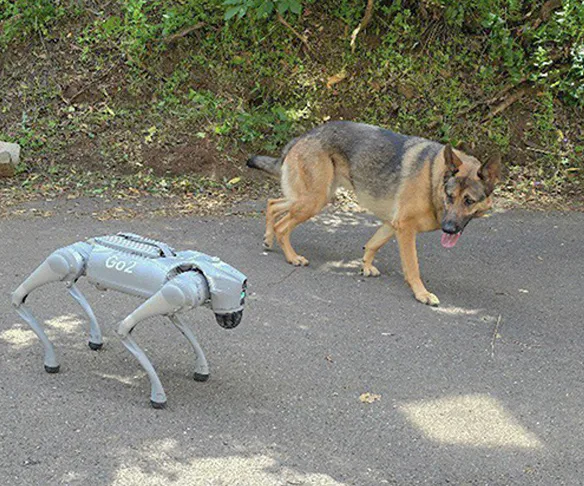
Ready to make this robot yours?

Shop Now

Unitree Go2 Pro vs. Go2 Edu: Which Robot Dog Should Schools Buy for STEM Classes?

  • By Toborlife AI
  • November 2, 2026
  • Unitree Go2 Pro
  • No comments

Unitree Go2 Pro vs. Go2 Edu: Which Robot Dog Should Schools Buy for STEM Classes?

A school purchasing a quadruped robot needs to decide whether students will watch it move, control it through available tools, or develop programs that change its behavior. Those activities look similar during a demonstration, but they require different hardware access, instructor preparation, and classroom safeguards.

For educators considering the unitree go2 robot dog, the comparison between Go2 Pro and Go2 Edu is therefore a curriculum decision. A robot that excites students at a STEM showcase may not provide the development access needed for a semester-long robotics course.

Discover how robots can better your life!

Discover More

What Should Students Learn From a Quadruped Robot?

A one-day STEM event can use a quadruped to introduce balance, sensing, locomotion, and human-robot interaction. Students can observe how the robot responds to commands and discuss the engineering challenges of walking on four legs.

A robotics club may want more structured activities: documenting motion sequences, comparing terrain responses under controlled conditions, or exploring the relationship between sensor observations and navigation. The learning value comes from clear hypotheses and repeatable observations rather than the number of tricks the robot can perform.

An advanced programming class raises the requirements again. Students may need access to supported software interfaces, robot state information, or development tools. Those capabilities must be confirmed for the exact model, rather than assumed from its app or remote-control features.

How Does Go2 Pro Fit Demonstrations and Robotics Clubs?

The September 2026 distributor workbook describes Go2 Pro as a consumer-oriented configuration with an eight-core processor, voice interaction, a camera, and 3D LiDAR inherited from the Go2 Air feature set. It also lists movement and interaction features designed for ready-to-use operation.

For a supervised STEM showcase, those functions can provide concrete teaching material. An instructor can use observed movement to explain joint actuation, onboard sensing, and the difference between executing a built-in action and developing a new control algorithm.

For recurring robotics club sessions, Go2 Pro may also be useful when the curriculum is built around observation, operation, and analysis. However, teachers should not interpret graphical app features as proof of unrestricted access to the robot’s low-level controls.

The key limitation is pedagogical. If the assignment requires students to implement their own robot controller, Go2 Pro should not be selected without confirmation that the required development functions are actually supported.

What Does Go2 Edu Add for Programming Courses?

Go2 Edu Standard is identified in the distributor workbook as an education and research configuration supporting secondary development. The listed configuration also includes a development expansion dock, a depth camera, and additional interfaces for technical experimentation.

These features make Go2 Edu a more relevant candidate for courses in which students need to build software around sensor observations or supported robot control. They do not eliminate the need for instructor preparation. A programming interface must still be documented, usable by the students, and appropriate for the planned experiment.

Schools should distinguish Go2 Edu Standard from higher Edu packages with different computing or sensing options. An upgrade listed for one configuration should not be presented as a standard feature of every Go2 Edu robot.

A useful project might compare observations from different sensing arrangements or build a supervised data-logging exercise. Each requires a clear baseline and safe operating limits.

Which Robot Fits Three Common School Scenarios?

For a STEM demonstration day, Go2 Pro can be a sensible candidate when the primary goal is engagement and explanation. The instructor can focus on visible quadruped behavior, basic sensing concepts, and discussion of real engineering constraints.

For a weekly robotics club, the decision depends on whether students mainly operate and analyze the robot or are expected to write new software. Go2 Pro may serve the former; Go2 Edu deserves consideration for the latter, subject to the school’s technical support and curriculum.

For a semester-long programming course, Go2 Edu Standard is the stronger starting point because development support is part of its documented positioning. Teachers should still verify the exact software interfaces and prepare assignments that match the available hardware.

A school should avoid buying a development-oriented robot solely because it sounds more advanced. If teachers lack time to prepare technical activities, additional computing and interfaces may not produce better learning outcomes.

How Should Schools Evaluate Battery Life and Classroom Readiness?

Battery specifications are useful only when attached to the correct configuration. The distributor workbook describes Go2 Edu Standard with a 15,000 mAh battery and a stated two-to-four-hour operating range. Those figures should not be assigned to Go2 Pro or treated as guaranteed classroom endurance.

Schools need to plan charging, storage, floor space, student separation, operator supervision, and procedures for stopping an activity. A demonstration that takes five minutes may require substantially more time for setup, explanation, and recovery between student groups.

For programming courses, teachers should also plan for failed experiments. Students need a safe way to restore a known software state, inspect the robot, and compare results across sessions.

These operational requirements often determine whether the robot becomes a recurring teaching resource or an occasional showcase attraction.

Does the Unitree Go2 Pro Price Reflect Educational Value?

A buyer searching for unitree go2 pro price should compare the complete teaching use case, not only the listed hardware cost. Go2 Pro may provide stronger value when the intended lessons depend on demonstration and guided observation. Go2 Edu may justify a larger investment when supported development access is central to the curriculum.

Additional spending can include protective equipment, batteries, instructor training time, computing resources, and appropriate space for supervised movement. A low purchase price offers little advantage if the selected robot cannot support the assignments the school plans to teach.

Which Go2 Configuration Should a School Choose?

Choose Go2 Pro for supervised demonstrations and observation-led STEM activities. Evaluate Go2 Edu Standard for structured programming courses and student experiments that genuinely require development interfaces.

For schools building a quadruped robotics program, review the Go2 Pro and Go2 Edu options through Toborlife AI. Match the exact configuration to the syllabus, instructor capabilities, and operating environment before committing the education budget.

Ready to make this robot yours?

Shop Now

Unitree G1 Basic vs. G1 Edu: Which Fits a Physical AI Data Collection Lab?

  • By Toborlife AI
  • October 30, 2026
  • g1 humanoid robot
  • No comments

Unitree G1 Basic vs. G1 Edu: Which Fits a Physical AI Data Collection Lab?

A physical AI laboratory purchasing its first humanoid for teleoperation experiments should begin with the data it wants to collect. If researchers need synchronized robot state, operator commands, and object-interaction observations, the central question is whether the selected robot configuration exposes the necessary development interfaces.

This is where the difference between Unitree G1 Basic and G1 Edu matters. Both belong to the same humanoid family, but they are not interchangeable research purchases. For teams evaluating a unitree  humanoid robot, a convincing demonstration does not establish access to the control and recording functions required for robot learning.

Discover how robots can better your life!

Discover More

What Does a Useful Teleoperation Dataset Require?

A teleoperation demonstration is more than a video of a robot completing a task. A research team may need time-aligned operator inputs, joint states, camera observations, task labels, and records of failures or interventions. Those signals must be accessible at a useful frequency and with documented timing if the resulting dataset is intended for reproducible experiments.

A 2026 study of a Unitree G1 Edu human-interaction mimicry pipeline illustrates this system-level challenge. Its approach combines external RGB-D sensing, mapping software, and robot control. The research demonstrates a particular experimental implementation, not a universal capability included with every G1 or a guarantee of autonomous task completion.

Before choosing hardware, researchers should define the control signals they need, the objects they will manipulate, the recording format, and the safety conditions under which demonstrations can be repeated.

How Does G1 Basic Compare With G1 Edu for Development Access?

The September 2026 distributor workbook lists G1 Basic with 23 joint degrees of freedom, dummy hands, an eight-core processor, a depth camera, and 3D LiDAR. Crucially, it identifies secondary development as unsupported for that configuration. Toborlife’s approved G1 Basic copy likewise positions the model primarily for controlled interaction and demonstrations.

G1 Edu Standard, labeled G1 Edu Pro in the distributor workbook, is described as supporting high-level and low-level secondary development, with a 100-TOPS computing unit. Those distinctions make the Edu configuration the more relevant starting point when a research protocol requires custom control or onboard algorithms.

However, development support is not a blanket promise that every sensor stream, control rate, or software package is available. A lab must confirm the actual interfaces, SDK permissions, firmware requirements, and logging methods for its exact robot before designing a data-collection pipeline around them.

The purchase should be specified by configuration name and supported interfaces, not simply by the phrase g1 humanoid robot.

Do Manipulation Experiments Require Different Hands?

The standard G1 Basic configuration uses dummy hands. These are appropriate for certain gestures and demonstrations but do not provide the articulated grasping functions required by many manipulation experiments.

A laboratory studying object transfer, contact-rich motion, or hand-object coordination should identify the required end effector before selecting its G1 Edu variant. Different Edu configurations can include different arm and hand hardware. Researchers should verify finger actuation, sensing, payload limits, and compatible control interfaces for the exact option they intend to buy.

A dexterous hand alone does not produce a manipulation dataset. The experiment also needs calibrated observations, task fixtures, suitable objects, human supervision, and procedures for handling unsuccessful grasps. The objective is to capture repeatable physical interactions, not merely to display a robot holding an object.

How Should Teams Plan the Unitree G1 Battery Workflow?

A unitree g1 battery is part of the experimental schedule, not just an accessory line item. The approved G1 Basic copy describes a quick-release 9,000 mAh battery and approximately two hours of nominal runtime. Those figures should not be applied automatically to every Edu configuration or to a continuously operating manipulation workload.

For data collection, useful operating time is the interval in which the robot is ready, the recording system is synchronized, and a safe task can be performed. Battery changes, calibration, operator breaks, software resets, and data checks reduce the number of usable trials in a day.

A lab should estimate the duration of each demonstration, the expected reset time, and the number of repetitions needed for analysis. Spare batteries and charging arrangements may matter, but availability and compatibility must be verified for the purchased configuration.

Why Is G1 Price Only One Part of the Research Budget?

Teams searching for unitree g1 price information or planning to buy unitree g1 hardware should distinguish the robot’s acquisition cost from the cost of running a useful research program.

The budget may include development-capable hardware, compatible hands, operator interfaces, external cameras, data storage, safety barriers, test objects, software engineering, and staff time. Some of these items are optional for demonstrations but essential for manipulation-focused data collection.

A cheaper robot can become an expensive choice if it cannot expose the signals the experiment requires. Conversely, a sophisticated configuration may be unnecessary for a laboratory whose primary objective is public engagement or controlled movement demonstrations.

The correct purchasing metric is not the lowest advertised unit price. It is the cost of obtaining a complete, supportable experimental configuration that can produce the observations the research team needs.

Which G1 Should a Physical AI Lab Choose?

G1 Basic is better suited to teams seeking a controlled demonstration platform without custom secondary development. G1 Edu is the more appropriate category for research teams developing teleoperation, robot control, and data-collection workflows, provided the exact configuration supports their required interfaces and end effectors.

For laboratories planning a manipulation dataset, compare the G1 configurations available through Toborlife AI and review the teleoperation information as a separate workflow component. Confirm the robot, hands, control access, and recording requirements together before placing an order.

Ready to make this robot yours?

Shop Now
Unitree R1 Robot

Unitree R1 Basic vs. R1 Edu: Which Should Universities Choose for Their First Humanoid Robotics Lab?

  • By Toborlife AI
  • October 26, 2026
  • Unitree R1 Robot
  • No comments

Unitree R1 Basic vs. R1 Edu: Which Should Universities Choose for Their First Humanoid Robotics Lab?

A university introducing humanoid robotics into its undergraduate curriculum needs to make a distinction before purchasing hardware: will students observe the robot, or will they develop software that changes how it behaves? That difference determines whether the Unitree R1 Basic or R1 Edu Standard is the more appropriate starting point.

For departments evaluating a Unitree R1 Robot, the purchasing decision involves curriculum design, access to control interfaces, supervised laboratory time, and the work required to keep experiments repeatable. A humanoid that performs a compelling demonstration is not automatically a platform for semester-long programming assignments.

Discover how robots can better your life!

Discover More

What Should a First Humanoid Robotics Course Actually Teach?

A department planning its first teaching lab should define the activities students must complete by the end of the term. An introductory robotics course might examine humanoid kinematics, locomotion principles, perception, and safety through instructor-led demonstrations. Students could analyze recorded observations, compare robot movements with simulation, or discuss the limits of onboard sensing without writing code that directly controls the machine.

A capstone course creates a different requirement. Students may need to build and test control software, process sensor outputs, or investigate how changes to a motion algorithm affect robot behavior. Those activities depend on documented development interfaces and access permissions, not merely the robot’s ability to move.

The Education University of Hong Kong’s July 2026 report on an R1 assembly and demonstration session offers a useful educational example. It describes hands-on familiarization with humanoid hardware, but it should not be interpreted as evidence that every R1 configuration supports the same student programming workflow.

How Do R1 Basic and R1 Edu Standard Differ for Students?

The September 2026 distributor specification workbook identifies the R1 Basic as a compact humanoid with an eight-core processor, binocular vision, wireless connectivity, and a quick-release smart battery. Its documented configuration does not support secondary development. That limitation matters if the course requires students to create their own low-level control or research software.

R1 Edu Standard is the development-oriented alternative. The same workbook identifies support for secondary development and an expansion computing system rated at 40 TOPS. These features make it a more relevant candidate for classes that require student-built algorithms, subject to the actual software documentation and interfaces supplied with the selected unit.

Neither configuration should be described as a turnkey autonomous teaching assistant. Instructors still need to establish safe operating procedures, suitable experiments, and clear boundaries between observing built-in behavior and programming new functionality.

A department should also verify the exact model before ordering. Older R1 product copy contains conflicting degrees-of-freedom and weight descriptions; these differences should not be silently combined into a single specification.

Which Configuration Fits Three Common Teaching Scenarios?

For an introductory demonstration course, R1 Basic may be the more economical educational choice if instructors primarily need to show humanoid movement and discuss robot architecture. The learning value comes from structured observation, measured demonstrations, and analysis, rather than unrestricted programming access.

For a supervised programming laboratory, R1 Edu Standard is the stronger candidate because secondary development is part of its documented configuration. Before selecting it, the department should confirm what students can read and control, which development tools are available, and whether the proposed exercises are supported by the delivered software.

For semester-long capstone projects, the selection should start with the project brief. A team studying motion planning needs different access from one exploring perception or human-robot interaction. Even with R1 Edu, students may need additional computing, fixtures, safety equipment, or simulation tools to produce meaningful results.

The R1 humanoid robot is therefore best evaluated as part of a course design, not as an isolated technology purchase.

How Should Universities Plan Shared Lab Time and Safety?

A single robot shared by several student teams creates a scheduling problem. Setup, battery changes, inspection, supervised operation, and experiment recovery all consume laboratory time. The distributor workbook describes approximately one hour of battery life for the R1 configurations discussed here, but real session length will depend on the activity and operating conditions.

Departments should plan for short, repeatable sessions rather than assuming a full class period of uninterrupted movement. A useful lab protocol defines who may operate the robot, how the workspace is cleared, when a session must stop, and how data or observations are recorded.

Students also need a baseline. If every group changes several parameters without restoring a known configuration, the results become difficult to compare. Version-controlled code, standardized test sequences, and instructor-approved operating limits can make shared hardware more educationally productive.

The procurement budget should therefore include staff preparation, protected operating space, computing equipment, and time for maintenance and recovery. A lower initial hardware price cannot compensate for a course whose intended experiments the robot cannot support.

What Should a University Confirm Before Ordering?

The most useful procurement document is a one-page curriculum-to-capability matrix. For every planned assignment, specify whether students must observe, command, program, or collect data from the robot. Then request confirmation of the exact configuration, development permissions, available documentation, battery provisions, and required accessories.

Universities should also distinguish optional computing modules from included hardware and verify whether the configuration they are purchasing matches the one described in their course proposal.

Where Should an Academic Robotics Team Start?

Choose R1 Basic when the primary objective is instructor-led demonstrations and foundational discussion of humanoid robotics. Evaluate R1 Edu Standard when students must develop and test their own algorithms through supported interfaces. The right choice is the one that delivers the learning activities the syllabus promises.

For departments planning a first humanoid teaching lab, review the Unitree R1 Basic and R1 Edu Standard product information at Toborlife AI, then map the exact configuration against your course requirements before purchasing.

Ready to make this robot yours?

Shop Now
unitree-g1-edu

Is the Unitree G1 Edu the Right Humanoid Robot for Your California Research Lab?

  • By Toborlife AI
  • October 23, 2026
  • unitree g1 edu
  • No comments

For most California labs, the hardware question is the easy part. The Unitree G1 Edu is a programmable humanoid built for research. The harder question is what happens after the purchase order clears: who sets it up, who repairs it, and how fast your team gets back to work when something breaks.

A humanoid waiting in a crate for overseas service produces no research. Toborlife AI is based in Mountain View, close enough to California labs that support happens on your schedule.

Discover how robots can better your life!

Discover More

What the Unitree G1 Edu Brings to a Lab

The Unitree G1 Edu is a human-scale humanoid with a built-in 100 TOPS compute unit and support for high-level and low-level secondary development. Labs write their own code for locomotion, manipulation, perception, and human-robot interaction, then run it on real hardware.

Paired with Tobor Harness™ teleoperation, the G1 Edu also becomes a platform for collecting demonstration data to train robot policies. One robot can support coursework, graduate research, and data collection across several groups.

Local Repairs from Mountain View

Hardware breaks in research. Joints wear, falls happen, and parts need replacing. What matters is how long the robot stays down.

Toborlife AI is an official Unitree partner with Unitree-trained technicians in Mountain View. Warranty repairs and service happen here in California. Your G1 Edu doesn’t get crated and shipped across the Pacific, and your team doesn’t lose a semester waiting for it to come back.

For a lab, that difference shows up in the research calendar. A thesis timeline, a paper deadline, or a grant milestone doesn’t pause for a repair queue overseas.

Initial Setup That Starts Research Sooner

The first weeks with a new humanoid set the pace for everything after. Toborlife AI helps California labs through initial setup: unboxing, first power-on, calibration, and getting the development environment running.

Our team walks researchers through safe operation and the basics of the G1 Edu’s development interfaces. Labs that add Tobor Harness get help calibrating the teleoperation system and running their first data collection sessions.

Your team should be writing research code in the first week, with the troubleshooting already handled.

Support for Long-Term Research

Research programs run for years. A humanoid bought on one grant often supports the next two. That makes the supplier relationship as important as the hardware.

Toborlife AI supports labs across the full life of a Unitree G1 Edu: spare parts, batteries, accessories, firmware questions, and repairs after the warranty period. When a new student joins the project, the support is still there, and they get the same answers the original team did. When the lab expands to a second robot, we already know your setup.

Long-term research needs a partner who will still answer the phone in year three. That’s the role we take with every lab.

Help with Bids, Grants, and Purchase Orders

University and public research purchasing follows its own process, and we work within it.

Bidding. We prepare formal quotes and the product documentation procurement teams ask for, so your bid package is complete the first time.

Grants. We’re familiar with how grant budgets are written and timed. We help researchers spec the right G1 Edu configuration, accessories, and support for the budget, and we provide quotes that line up with grant submission deadlines.

Purchase orders. We accept purchase orders from universities, schools, and research institutions. Your procurement office works with us the way it works with any established vendor.

For a principal investigator, that means less time on paperwork and more time on the research the grant funds.

Trusted by Schools and Research Labs

Toborlife AI has worked with numerous schools, universities, and research labs to bring Unitree robots into their programs. We’ve supported teams from first quote through setup, research, and repair.

That experience shapes how we work with each new lab. We know the questions procurement offices ask, the setup issues new teams hit, and the support that keeps a humanoid research program running. Every lab works with the same Mountain View team, from the first quote to the last repair.

Questions California Labs Ask Before Buying a Unitree G1 Edu

Where are repairs done? In Mountain View, by Unitree-trained technicians. Warranty and post-warranty service both run through our team.

Can you help us fit the Unitree G1 Edu into a grant budget? Yes. We help researchers choose the configuration, accessories, and support that match the budget, and we time quotes to the submission deadline.

Do you accept purchase orders? Yes. We work with university, school, and research-institution procurement offices on standard purchase orders.

Can our lab run its own code on the robot? Yes. The Unitree G1 Edu supports high-level and low-level secondary development on its built-in 100 TOPS compute unit.

What happens after the warranty ends? We keep supporting the robot with repairs, spare parts, and batteries for as long as your lab uses it.

Is the Unitree G1 Edu Right for Your Lab?

The Unitree G1 Edu fits California labs that want to write their own code on a humanoid, collect real-world robot data, and keep the robot in service for years. The local support behind it decides how much research that robot produces.

If your lab is planning a humanoid purchase, start with a conversation about your research goals, budget, and timeline.

Talk to a Robotics Expert →
Handoff notes

Body: 907 words. SEO score: 92/100 (keyword density 1.30%). Tiers left out per your note. The piece leads with trust: local repair, setup, long-term support, and procurement help.

1. “Worked with numerous schools, universities, and research labs” has no names attached. Should any be named once cleared?

2. Setup scope: I listed unboxing, power-on, calibration, dev environment, and safety walkthrough. Is setup in person at California labs, remote, or both?

3. Bidding: I said we provide “formal quotes and product documentation.” Should vendor registration or sole-source letters be added?

4. “Support for as long as your lab uses it” is a strong promise. Keep, or soften to “after the warranty ends”?

5. No repair turnaround times are stated. Add a number if the service team can commit to one.

6. Overlaps “unitree g1 edu” with the G1 overview post. Flag to Sourav if needed.

Ready to make this robot yours?

Shop Now

Unitree XR Teleoperation vs. Custom Vision Control: Which Workflow Should Labs Use in 2026?

  • By Toborlife AI
  • October 19, 2026
  • unitree teleoperation
  • No comments

A lab evaluating unitree teleoperation should not start with the headset, controller, or camera. It should start with the data it needs to create. Teleoperation is useful only when the operator can express the right intent, the robot can execute that intent safely, and the session can be recorded, reviewed, repeated, and converted into usable research data.

That is why the practical comparison in 2026 is not “XR headset or camera?” It is packaged with XR teleoperation versus a custom vision-based control pipeline. Both can move a humanoid robot. They differ in setup burden, calibration, control fidelity, field of view, hand tracking, recovery, and how much engineering the lab must own after the first successful session.

A 2026 Computers, Materials & Continua study on Unitree G1 Edu shows the depth of the problem. The researchers built a full vision-based control pipeline using an external Orbbec Gemini 2 RGB-D sensor, a custom 3D-printed mounting structure, MediaPipe Holistic for body and hand landmark extraction, kinematic mapping for arm and finger motion, filtering to reduce jitter, MuJoCo safety validation, and physical implementation on G1 hardware. The study also found that tracking could perform well in controlled conditions but degrade under severe backlighting, which is exactly the kind of real-world limitation buyers should plan around.

Discover how robots can better your life!

Discover More

What Does Packaged XR Teleoperation Solve?

Packaged XR-style teleoperation for unitree robots gives teams a more defined starting point. Unitree’s public XR teleoperation work describes control through XR devices such as Apple Vision Pro, PICO 4 Ultra Enterprise, and Meta Quest 3, with support across multiple Unitree humanoid configurations.

That matters because research teams often underestimate integration time. A defined XR workflow can reduce the early burden of building the operator interface, connecting hand or controller input, setting up the robot perspective, and starting a repeatable session. Public Unitree XR teleoperation materials also point toward input modes, display modes, simulation options, and recording workflows, which reinforces the real research value: repeatable demonstrations, not just remote motion.

For a lab with limited engineering bandwidth, this is often the stronger starting point. The team can focus on task design, operator training, dataset quality, and robot behavior instead of rebuilding the entire control interface from scratch.

The tradeoff is that a packaged system still has boundaries. The lab must verify which robot model, arm type, end effector, firmware, network setup, camera configuration, and recording format apply to its exact hardware. “Supported” does not automatically mean ready for the experiment, especially when the work depends on dexterous manipulation, fine hand control, or downstream machine-learning data.

What Does Custom Vision-Based Control Add?

A custom vision-based workflow gives researchers more control over the sensing and mapping stack. Instead of relying mainly on XR hand or controller input, the system observes human movement through a camera or RGB-D sensor, estimates body and hand landmarks, maps those landmarks to robot joints, and filters the resulting commands.

That approach can be attractive for teams studying human-robot interaction, accessible demonstration capture, markerless human tracking, or custom hand and arm mapping. It can also reduce dependence on wearable hardware. In the G1 Edu study, the external sensor placement was central because the robot’s onboard viewing angle did not fit the desired front-facing interaction. That is the key lesson for buyers: the camera is not a simple accessory. It defines what the system can see, what it misses, and how consistently the operator’s motion becomes robot action.

Custom control also exposes more research knobs. Teams can tune landmark confidence thresholds, sampling rates, smoothing filters, inverse-kinematics logic, safety behavior, and finger mapping. For labs publishing methods, that flexibility can be valuable.

The cost is engineering ownership. A custom pipeline becomes the lab’s responsibility. If lighting changes, tracking fails, fingers jitter, calibration drifts, or the mapping does not transfer across tasks, the research team must diagnose and fix the system. That can be worthwhile for a methods-focused lab. It can be wasteful for a team that mainly needs dependable demonstrations.

The Real Comparison Is Data Quality

A unitree teleoperation robot workflow should be judged by the data it produces. Fast operator motion is not enough. The session has to preserve robot state, operator input, camera feeds, timing, task context, intervention points, failure notes, and outcome quality.

This is where packaged XR and custom vision-based control should be compared directly.

XR can offer cleaner operator immersion, more intuitive hand or controller input, and a more standardized operating path. Custom vision can offer more experimental control over perception, body tracking, finger mapping, and sensor placement. Neither automatically creates a useful dataset. Data quality depends on synchronization, repeatability, recording format, operator feedback, recovery, and whether the robot can physically execute the commanded behavior.

The buyer’s question should be simple: after ten sessions, can the lab explain which demonstrations are good, which failed, why they failed, and whether another researcher can reproduce the setup?

When Do Teleoperation Services Make Sense?

unitree teleoperation services become relevant when the lab needs output more than infrastructure ownership. A team may not want to build the operator interface, tune the camera layout, manage recording scripts, train operators, and run quality checks internally. In that case, a service model can be useful if it defines the robot configuration, operator workflow, data format, QA process, recovery plan, and support boundary.

The service should not be evaluated as “someone can control the robot.” It should be evaluated as a data-production workflow. What does the team receive after each session? Video only? Joint data? Task labels? Failure notes? Time-synced sensor streams? Exportable demonstrations? The answer determines whether the service helps the research program or simply adds another operating layer.

Why Teleoperation Should Be the Default Starting Point?

For most labs, the stronger recommendation is to begin with teleoperation before attempting a fully custom vision-based control stack. Custom control can be powerful, but it asks the lab to solve perception, calibration, mapping, synchronization, and recovery at the same time it is trying to study the robot task. That is a heavy load unless the research question specifically concerns those layers.

Teleoperation gives teams a more practical path to useful robot time. It lets researchers observe what the robot can actually do, where the task breaks down, what data needs to be captured, and which parts of the workflow deserve custom engineering later. It also helps avoid the common mistake of building a clever interface before the lab has defined the demonstration quality, recording standard, and recovery process it needs.

How Should Buyers Decide?

A lab planning to buy unitree teleoperation system components should choose the workflow that matches its internal capability, but the first serious evaluation should usually favor a Unitree-compatible teleoperation setup.

Choose packaged XR teleoperation when the priority is faster setup, operator immersion, standard workflow, and a clearer path to repeated sessions.

Choose custom vision-based control when the research question depends on perception design, camera placement, markerless human tracking, custom mapping, or novel hand and arm behavior.

Choose managed teleoperation support when the goal is usable data and consistent sessions without forcing the lab to own every layer of the stack.

For university labs, robotics startups, and physical AI teams, Toborlife’s Unitree robot options with teleoperation-focused evaluation create the cleanest buying path. The practical move is not to buy a robot first and then wonder how to control it. It is to select the robot, end effector, operator interface, sensing layout, recording workflow, and recovery plan as one system.

That is where Toborlife is the right place to start. Buyers can compare Unitree robots through the lens that matters for teleoperation: exact model fit, hand configuration, development access, robot compatibility, operator workflow, and the downstream data the team needs to produce. The strongest system is not the most experimental interface. It is the Toborlife-supported Unitree setup that gets the lab to repeatable robot demonstrations, cleaner data, and faster learning with fewer dead-end integration cycles.

Ready to make this robot yours?

Shop Now
unitree-humanoid-robot

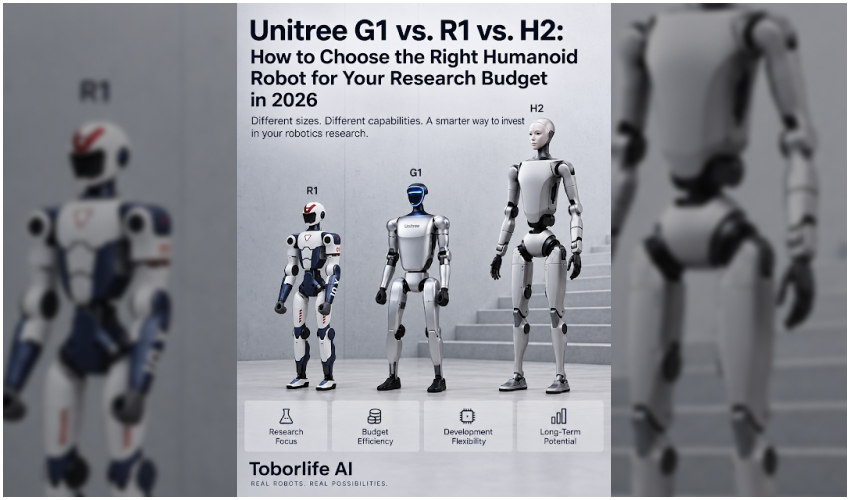
Unitree G1 vs. R1 vs. H2: How Should Labs Allocate Budget?

  • By Toborlife AI
  • October 16, 2026
  • unitree humanoid robot
  • No comments

A university robotics laboratory comparing the unitree G1, R1, and H2 faces a purchasing decision that extends beyond the initial hardware investment. Each humanoid occupies a different physical and technical position within Unitree’s product family, making the selection consequential for research design, facility requirements, and future experimentation.

For labs evaluating a unitree humanoid robot, the central concern is whether the selected platform can support the experiments they intend to conduct. Physical size, manipulation hardware, development access, and the operating environment determine which research questions a robot can meaningfully address.

Discover how robots can better your life!

Discover More

Why Does Robot Architecture Matter More Than Entry Cost?

Unitree’s expansion across humanoid hardware categories has brought greater attention to the economics of robotics research.

Ars Technica reported in September 2026 that Unitree’s emphasis on structural engineering and component-level cost management has influenced its approach to manufacturing affordable walking robots. The reporting also raised questions about manufacturing quality and the broader commercial maturity of humanoid robotics, illustrating why initial hardware cost alone cannot establish research value.

For a lab director, the procurement calculation should start with the experimental program.

A locomotion research project may require repeated walking trials, motion-state access, and recovery testing. A manipulation project introduces different requirements, including appropriate hands, object interaction, perception, and the ability to record synchronized movement data.

A larger humanoid may be essential when the research depends on human-scale geometry. For other projects, additional size can introduce facility and safety requirements without improving the experiment.

The objective is to fund a platform that enables meaningful research while preserving resources for engineering, infrastructure, and repeated testing.

How Do R1, G1, and H2 Differ Physically?

The three platforms support different experimental scales.

Unitree’s R1 family provides a compact humanoid architecture. Toborlife’s R1 Edu Smart is approximately 121 cm tall and weighs about 25 kg, creating a smaller physical platform for supervised research and educational environments.

The G1 occupies an intermediate category. Toborlife’s G1 Edu Pro F measures 127 cm tall and weighs approximately 35 kg with its battery. Its documented configuration includes 35 joint degrees of freedom, with six in each leg, five in each arm, and one at the waist.

The H2 is a substantially larger humanoid, measuring approximately 182 cm tall and weighing about 70 kg with its battery. Its physical scale is relevant when experiments depend on adult-height workspaces, human-scale reach, or whole-body motion.

These differences affect the experimental environment as much as the robot itself.

A larger machine requires more attention to fall protection, recovery procedures, transportation, and the separation of personnel from uncontrolled movement.

A compact robot still requires appropriate supervision and safety controls, but researchers can design experiments around a different physical operating envelope.

When Does G1 Justify a More Specialized Research Configuration?

The humanoid robot g1 becomes particularly relevant when a research program requires a combination of bipedal locomotion, upper-body articulation, and configurable manipulation hardware.

The G1 Edu Pro F is equipped with NVIDIA Jetson Orin computing and two BrainCo Revo 2 Touch five-finger dexterous hands in its documented Toborlife configuration.

The hands incorporate tactile sensing, making the configuration relevant to research involving physical contact and grasping. The development team must still establish the available sensor outputs, software interfaces, control methods, and data-recording capabilities for its intended experiments.

A tactile hand does not independently establish reliable autonomous manipulation. Object recognition, grasp planning, force control, and recovery remain separate engineering challenges.

For researchers studying these problems, however, the hardware configuration can materially change the types of experiments they can design.

A locomotion-focused lab may have little reason to allocate substantial resources to dexterous hands. A manipulation laboratory may find that a robot without the required end effectors cannot produce the physical interaction data its research depends on.

The relevant investment is therefore the complete research configuration, including the tools required to control it and collect useful experimental data.

Which Platform Supports Your Research Objectives?

Research teams should evaluate the three platforms against the experiments they plan to conduct.

R1: Compact humanoid experimentation

R1 is relevant to programs investigating compact humanoid locomotion, perception, control, and educational robotics. Teams should select the specific Edu configuration according to the development access and computing capabilities their work requires.

G1: Integrated locomotion and manipulation research

For teams studying coordinated movement and object interaction, g1 robots provide a different research architecture. The Edu Pro F combines articulated humanoid hardware with tactile five-finger hands and onboard computing.

That configuration can support experiments investigating how locomotion, perception, and manipulation interact, subject to the control and software interfaces available to the research team.

H2: Human-scale embodied research

H2 becomes relevant when the research question depends on larger physical dimensions, human-scale reach, or full-body dynamics.

Its additional scale also changes experimental planning. Researchers must establish whether their facilities, safety procedures, and supporting equipment can accommodate the platform.

Across all three categories, buyers should distinguish documented hardware capabilities from experimental functions they must develop independently.

How Does the Research Budget Extend Beyond Hardware?

A successful humanoid robotics program requires more than purchasing a capable machine.

Laboratories should account for computing infrastructure, software development, safety equipment, maintenance, spare components, operator training, and experiment preparation.

For manipulation research, the budget may also need to cover objects and fixtures, motion capture, data storage, and the engineering work required to produce repeatable experimental conditions.

The g1 humanoid robot should therefore be evaluated as part of a complete research system rather than as an isolated hardware purchase.

A lab seeking to investigate tactile grasping may allocate resources differently from one studying dynamic walking. Similarly, an institution working with human-scale industrial environments may require the larger physical architecture of H2, even when a smaller robot offers sufficient computing capability.

Before finalizing procurement, research leaders should identify the experimental requirements their selected platform must satisfy, then document the additional resources needed to support those experiments.

Where Should U.S. Labs Begin Their Product Evaluation?

The G1 Edu Pro F provides a defined configuration for laboratories whose research requires humanoid locomotion, articulated manipulation, tactile sensing, and onboard computing.

For teams with different experimental objectives, R1 and H2 offer alternative physical architectures within Unitree’s humanoid family.

The practical purchasing decision depends on the research program, the exact hardware configuration, and the resources needed to operate it safely and productively.

For university laboratories and physical AI teams evaluating manipulation-focused research hardware, explore the G1 Edu Pro F at Toborlife AI . Review its documented specifications and available configuration against your experimental requirements before allocating the remainder of your research budget.

Ready to make this robot yours?

Shop Now
Unitree-A2

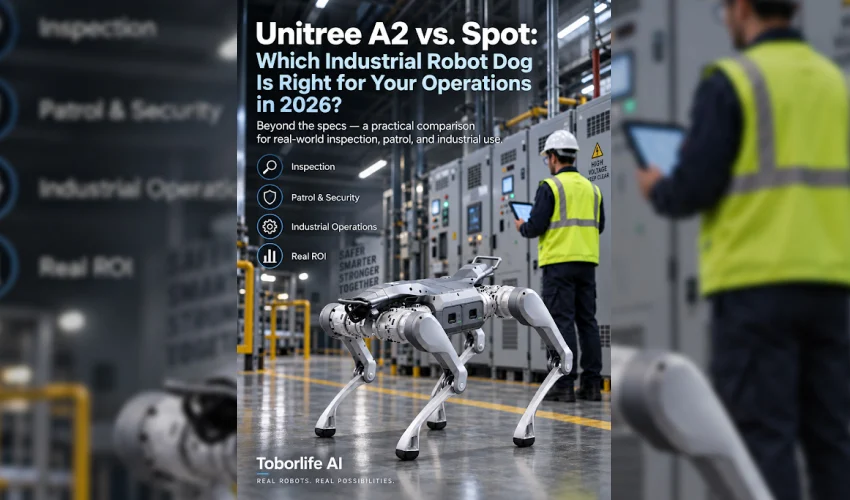
Unitree A2 vs. Spot: Which Robot Fits Industrial Inspection?

  • By Toborlife AI
  • October 14, 2026
  • Unitree A2
  • No comments

Unitree A2 vs. Spot: Which Robot Fits Industrial Inspection?

A manufacturing team choosing between the Unitree A2 and Boston Dynamics Spot needs to evaluate more than walking speed, payload capacity, and battery life. Both are quadruped platforms, but their inspection capabilities, software ecosystems, and integration requirements create different procurement considerations.

For buyers evaluating unitree a2 robots, the distinction becomes especially important when moving from a supervised demonstration to recurring inspections. A robot that can navigate a factory floor still needs the appropriate sensors, repeatable data collection, and reliable reporting before it can contribute to an industrial maintenance program.

Discover how robots can better your life!

Discover More

What Does a Successful Robotic Inspection Actually Require?

LG Energy Solution’s evaluation of Spot illustrates the requirements behind an industrial inspection program. In September 2026, the company was reported to be testing the robot for energy-storage manufacturing inspections, including checks of electrical connections and installation conditions.

The reported workflow involves predefined inspection routes, camera positioning, and ultrasonic sensing. A separate elevated camera system covers locations beyond the quadruped’s reach. The deployment remains a testing and verification initiative rather than proof that every factory can reproduce its results. 

This example highlights an important distinction for procurement teams. Walking between inspection points is only one part of the system.

A complete inspection workflow must establish where the robot travels, what measurements it captures, how those measurements are interpreted, and what happens when the system identifies an abnormal condition.

For an electrical inspection, a standard navigation camera may not provide the necessary image resolution, viewing angle, or measurement capability. The application might require additional visual, thermal, or acoustic sensing.

Buyers should therefore define the inspection task before choosing the robot carrying the sensors.

How Do A2 Pro and Spot Compare in Mobility and Sensing?

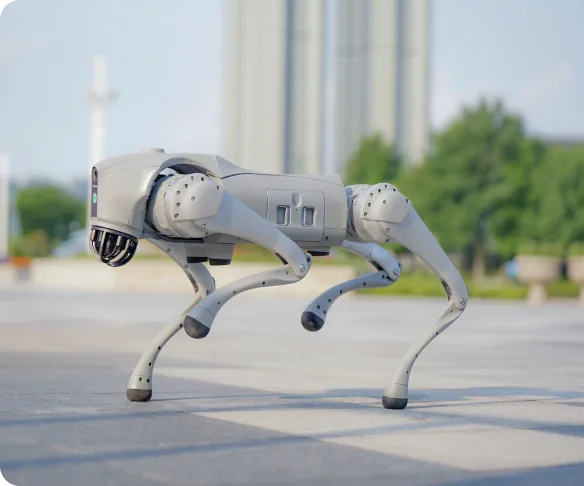
The Toborlife A2 Pro has a four-legged mobility architecture with 12 joint degrees of freedom. Its documented configuration includes two LiDAR sensors, an HD camera, an eight-core CPU, and Intel Core i7 computing for user development.

The supplied product specifications also identify a standing footprint of 820 × 440 × 570 mm and an operating weight of approximately 37 kg with its battery.

These characteristics make the A2 Pro a candidate for projects requiring a mobile sensing platform that can move through defined industrial environments.

Spot approaches the same problem through an established industrial inspection ecosystem. Boston Dynamics documents the robot’s integrated perception, autonomous route execution, and support for optional inspection payloads, including thermal and acoustic instruments. Its Orbit software supports inspection scheduling, data review, and integration with operational workflows. 

The distinction matters when planning a deployment. Spot offers documented inspection workflows that buyers can evaluate against their operational requirements. A2 Pro provides hardware and development capabilities that may support a customized inspection system, provided the necessary software and sensor integration are completed.

Neither platform should be selected solely because its mechanical specifications appear suitable for the factory.

Which Robot Offers the Right Sensor and Payload Architecture?

The A2 Robot platform offers expansion interfaces that can support the development of application-specific robotic systems.

For the A2 Pro, Toborlife lists RS485, CAN, Gigabit Ethernet, USB Type-C, and power interfaces. Its documented computing architecture also includes a high-performance expansion dock.

These interfaces matter to engineering teams developing systems that combine mobile navigation with additional sensors or onboard processing.

However, an available interface does not establish compatibility with every third-party sensor. Buyers must confirm mechanical mounting, electrical requirements, communication protocols, software drivers, and the effects of additional equipment on balance and endurance.

Spot has a documented ecosystem of inspection payloads and associated software workflows. Its optional thermal and acoustic equipment can support equipment-condition monitoring, while its inspection software provides a framework for reviewing captured measurements. 

That integration can matter when the procurement objective is to establish a recurring inspection program without building every software component internally.

For engineering teams developing specialized perception systems, the A2 Pro’s hardware interfaces create a different opportunity. They can evaluate a custom sensor architecture against their own inspection requirements.

The important comparison is between complete, validated system configurations rather than bare robots with unrelated accessories.

How Do Operating Endurance and Factory Conditions Affect the Decision?

A robot’s published runtime is useful for initial planning, but practical inspection endurance depends on the operating environment.

Toborlife lists more than five hours of walking without a payload for A2 Pro and more than three hours when carrying a 25 kg load. These are stated operating conditions, not guarantees for a factory equipped with additional sensors and continuously running inspection software.

Boston Dynamics documents approximately 90 minutes of typical runtime for Spot, with lower endurance possible when powering payloads. 

For buyers, the relevant measurement is how many inspection points a fully configured robot can complete before requiring intervention or recharging.

A longer nominal runtime does not automatically produce higher facility coverage. Route length, inspection dwell time, obstacle avoidance, and the procedures used to recharge or replace batteries all affect performance.

Environmental protection requires equally careful evaluation. A2 Pro’s documentation identifies IP56 protection, with selected core components rated IP67. Spot’s documented ingress protection is IP54. These ratings describe specific protection characteristics and should not be interpreted as unrestricted suitability for hazardous, washdown, or explosive environments. 

Factory teams should validate the complete configured system against their actual exposure conditions.

How Should Manufacturers Compare Total Deployment Cost?

For an industrial inspection program, the acquisition of the robot is only one component of total cost of ownership.

A2 Pro buyers developing customized inspection capabilities should account for sensor selection, mounting, software development, navigation validation, data integration, maintenance, and operator training.

Spot buyers should evaluate the robot alongside the applicable inspection payloads, software, charging infrastructure, support arrangements, and integration requirements.

The operational question is how much additional engineering each configuration requires to perform the intended inspection reliably.

A facility with an internal robotics team may have the resources to develop and maintain a customized sensing application. An operations department seeking an established inspection workflow may place greater emphasis on existing software capabilities and documented deployment processes.

Before procurement, both should conduct a controlled site evaluation using the same inspection points, measurement requirements, safety boundaries, and reporting criteria.

Where Does Toborlife A2 Pro Fit Your Inspection Program?

The A2 Pro deserves consideration when the inspection objective calls for a configurable quadruped platform with documented LiDAR sensing, onboard computing, and external interfaces.

A qualified A2 robot supplier should make it possible to evaluate the exact hardware configuration against the project’s mobility, sensing, power, and development requirements. Buyers should also identify which elements of their proposed inspection workflow require separate integration and validation.

For U.S. manufacturers evaluating a customized quadruped inspection project, explore the Unitree A2 Pro at Toborlife AI. Compare its documented configuration against your inspection checklist, then establish the additional hardware and software required before committing to a facility-wide deployment.

Ready to make this robot yours?

Shop Now
Unitree-A2

How Can Businesses Use the Unitree A2 for Inspection and Automation?

  • By Toborlife AI
  • October 12, 2026
  • Unitree A2
  • No comments

Inspection work is repetitive, often hazardous, and expensive to staff continuously. A quadruped platform built for autonomous navigation and sensor payloads, like the Unitree A2, changes what a business can automate in that category. Its potential capabilities include navigating routine facility walkthroughs and monitoring equipment in hazardous environments.

Discover how robots can better your life!

Discover More

The A2 Pro: Built for Autonomous Inspection

Unitree sells the A2 in two tiers, and the difference matters a lot for inspection use cases specifically. The A2 Standard covers core mobility and a single LiDAR unit with one wide-angle camera. The A2 Pro adds the hardware an inspection program actually depends on:

  • Dual LiDAR for SLAM positioning and mapping, versus a single unit on the Standard tier
  • GPS and 4G modules, enabling outdoor positioning and remote connectivity for sites without local Wi-Fi
  • Autonomous navigation, letting the A2 run a defined patrol route without an operator actively steering it
  • IP56 to IP67 protection, with core components rated IP67, built for outdoor and industrial environments rather than controlled indoor space alone


If a business’s use case is genuinely autonomous inspection, unattended patrol routes, outdoor infrastructure monitoring, the A2 Pro is the tier that supports it. The Standard tier is a strong platform for teleoperated or supervised inspection work, but it doesn’t carry the GPS, 4G, or autonomous navigation stack the Pro tier adds.

What Inspection and Automation Actually Look Like on the A2 Robot

Facility and equipment monitoring. The A2 can carry a camera and LiDAR payload through a warehouse, plant floor, or construction site on a repeatable route, capturing visual and spatial data on equipment, inventory, or structural conditions without a person walking the same path every shift.

Outdoor and remote-site inspection. With GPS and 4G on the Pro tier, the A2 can operate and report back from sites without local network infrastructure, useful for solar farms, pipeline corridors, or construction sites spread across a large outdoor area. The -20°C to 55°C operating range and IP67-rated core components support conditions a wheeled robot or a standard camera system typically can’t.

Point cloud mapping for asset documentation. The A2’s point cloud surround view capability builds a spatial record of a facility or site as it moves through it, useful for documenting conditions over time or feeding data into a separate analysis or digital twin workflow.

Autonomous, repeatable patrol routes. SLAM positioning and mapping on the Pro tier means the A2 can learn a route once and repeat it without a person driving the same inspection path day after day, freeing staff for the judgment calls the robot isn’t making on its own.

Building Custom Automation on Top of the Unitree A2 Robots

Every A2 configuration supports secondary development at both high and low levels, with Isaac Sim compatibility for testing custom navigation or inspection logic before deploying it to the physical robot. External interfaces, including Gigabit Ethernet, USB 3.0, RS485, and CAN, let a business integrate the A2 with existing monitoring systems, sensor payloads, or data pipelines rather than treating it as a closed appliance. An optional high-computing expansion module adds up to 100 TOPS of onboard compute for teams running their own perception or analysis models directly on the robot.

Autonomous charging is also available as an optional feature, which matters for any inspection program that wants the A2 running continuous shifts rather than requiring manual battery swaps between routes.

Talk to an A2 Robot Supplier

If a robotic arm and mobile manipulation are part of your use case alongside inspection, our Unitree A2 robotic arm guide covers that side of the platform. For inspection and automation specifically, the right starting point is matching your site, indoor or outdoor, staffed or unattended, to the A2 Standard or Pro tier before committing to a configuration.

Toborlife AI is an authorized Unitree A2 robot supplier with U.S. inventory, certified support engineers, and direct engineering consultation to help scope an inspection or automation deployment before you buy.

Frequently Asked Questions

Can the A2 operate outdoors? Yes, on the Pro tier. GPS, 4G connectivity, and IP56–IP67 protection are built for outdoor and industrial environments; the Standard tier is better suited to indoor or supervised use.

Does the A2 require an operator for inspection routes? The A2 Pro supports autonomous navigation and SLAM-based route repetition. The Standard tier supports teleoperated and supervised inspection work but doesn’t include the same autonomous navigation stack.

Can a business integrate the A2 with its own monitoring software? Yes. The A2 supports secondary development and includes standard interfaces (Ethernet, USB 3.0, RS485, CAN) for integrating with existing systems or sensor payloads.

What’s the difference between the A2 and A2-W for inspection use? The A2-W’s wheel-leg configuration is the more stable option across a wider range of terrain. It climbs high obstacles smoothly, goes up and down stairs on its own without switching modes, and balances well on two wheels, while also running more efficiently than the standard legged A2 since the wheels reduce the energy cost of covering ground. Both tiers offer Standard and Pro configurations with the same inspection-relevant sensor options.

Considering the Unitree A2 for an inspection or automation program? Talk to a Robotics Expert

Ready to make this robot yours?

Shop Now
  • 1
  • 2
  • 3
  • 4
  • Next ›

Contact Us

Call 408-409-4061 or fill out the form

Floating Contact Form

"*" indicates required fields

footer-logo
  • instagram
  • Tiktok
  • Facebook
  • X
  • Linkedin
  • Linkedin

LET US HELP YOU

  • Shipping
  • Return & Exchanges
  • Cancel an Order
  • Warranty
  • Payment Information
  • Contact Us

GET TO KNOW US

  • About Us
  • Terms and Conditions
  • Privacy Policy

COMMUNITY

  • Robot News
  • Toborlife Event
  • Book Us for Events
  • Join Our Affiliate Program
All Rights Reserved © 2026.
We are a robotics company based in Mountain View, California, specializing in physical AI and advanced robotic systems. We are not affiliated with similarly named software or SaaS companies.
Scroll to top
TOBoRLife

Can Navigate Rough Terrain

The Home Dog effortlessly maneuvers up and down stairs with precision and avoids obstacles autonomously, ensuring it never collides with walls or objects. Experience a robot designed for real-world navigation and equipped with cutting-edge technology.

TOBoRLife

Playful Entertainment For The Whole Family

Watch in awe as the Home Dog performs captivating tricks like flips, handstands, and lively dance routines. Plus, its state-of-the-art balancing capabilities ensure smooth and stable movements, making it safe and fun for everyone to enjoy.

TOBoRLife

Camera provides security assistance for your home

Harness the Home Dog's camera feature for comprehensive home monitoring directly from your smartphone. Utilize this versatile robot as a mobile surveillance device to enhance your home's security.

TOBoRLife

Easy to control

Take charge of the Home Dog robot effortlessly with multiple control options: the bimanual controller, the companion remote control, or the intuitive phone app. When connected to the same WiFi network as the Home Dog, harness the power of voice command via your phone, allowing the Home Dog to respond and interact using ChatGPT.

TOBoRLife

Keeps up with you

Stay in sync effortlessly with the Home Dog featuring our ISS 2.0 Intelligent Side-Follow System. This innovative technology allows the robot to smoothly track alongside you, matching your pace with precision. Experience seamless companionship and convenience like never before.

Cart

Free shipping. Fast Delivery.

    Your cart is empty

    Meet our robots

    Add to your order

        Subtotal —

        Discount

        Shipping

        Tax

        Estimated total —

        Taxes and shipping calculated at checkout

        Check out View cart